

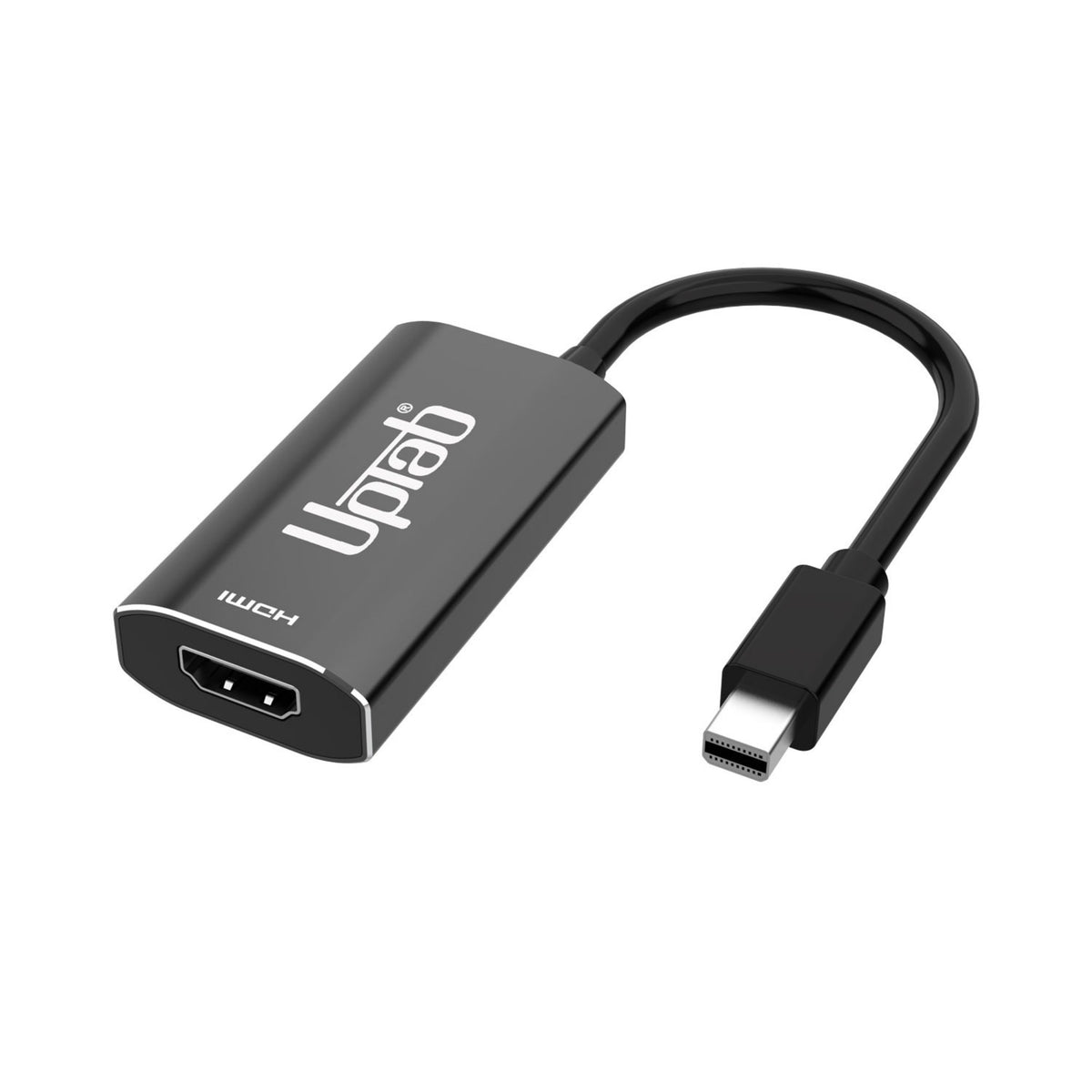
Adaptateur Mini DisplayPort 1.4 vers HDMI 2.1 8K
About this item
Se marie bien avec
EXPÉDITION LE JOUR MÊME commandez avant 11 h (HNE)
Livraison gratuite pour les commandes de plus de 50 $
Support technique
Retour sous 30 jours
Garantie d'un an
Adaptateur Mini DisplayPort 1.4 vers HDMI 2.1 8K
Détails du produit
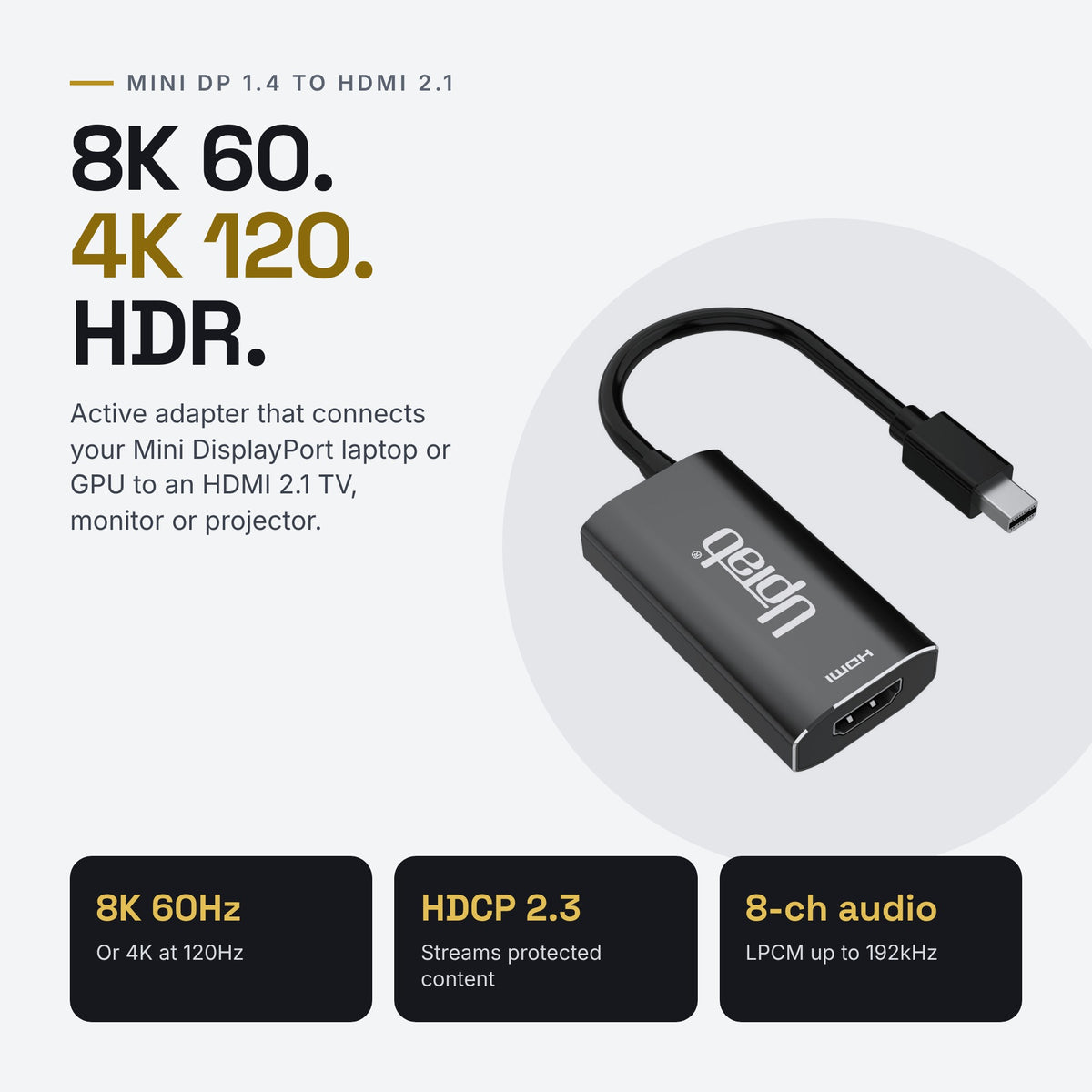
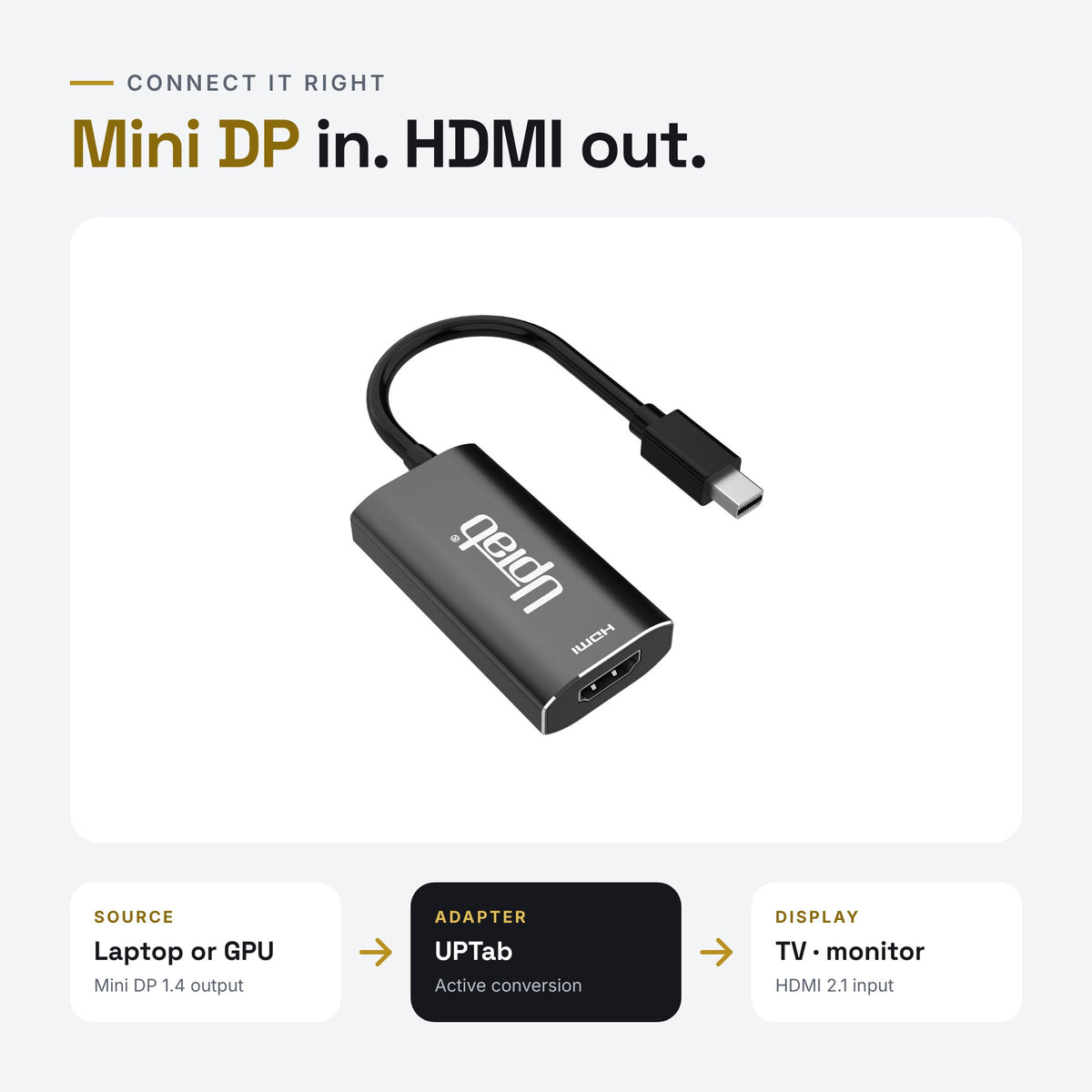
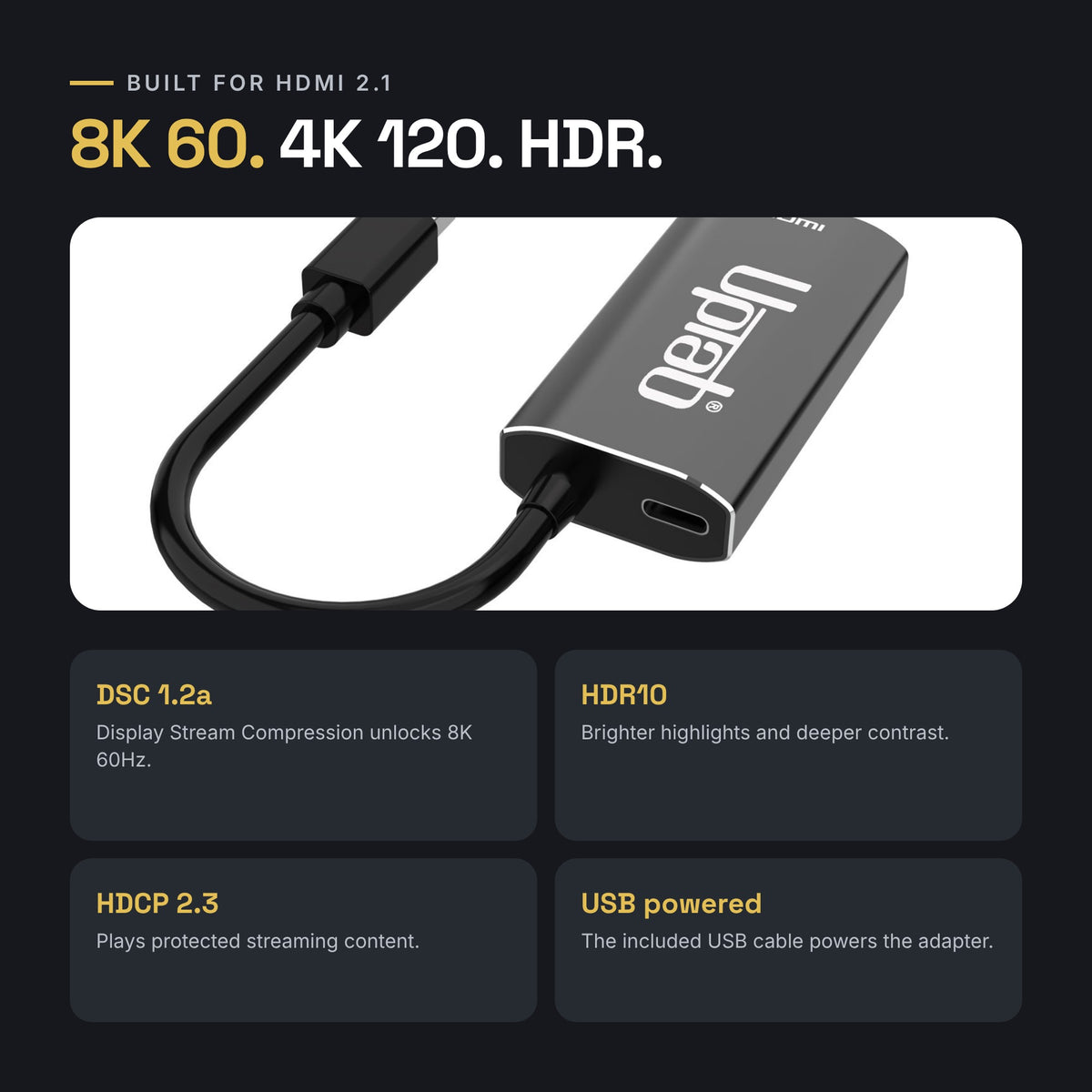
Connectez-vous à un écran HDMI Ultra HD avec HDR depuis un ordinateur compatible Mini DisplayPort grâce à l'adaptateur actif Mini DisplayPort ! Conçu spécialement pour les passionnés d'informatique, de graphisme et de jeux vidéo exigeants, l'adaptateur HDMI 2. 1 jusqu'à 48 Gbit/s permet une lecture vidéo 8K fluide, notamment avec une fréquence d'images de 60 Hz et le HDR, pour des couleurs et des mouvements d'un réalisme saisissant et une expérience visuelle optimale. Il convertit le signal vidéo Mini DisplayPort jusqu'à 8K (7680 x 4320 à 60 Hz) ou 4K (4096 x 2160 à 120 Hz) , y compris 1440p à 240 Hz. De plus, grâce à sa taille compacte, l'adaptateur actif Mini DisplayPort est extrêmement simple d'utilisation et facile à transporter. Il est alimenté par un câble USB Type-C vers USB Type-A (fourni) .
Enfin, et surtout, l'adaptateur actif Mini DisplayPort prend en charge un format de couleur 4 : 4 : 4, garantissant des couleurs RGB éclatantes et fidèles, ainsi que le HDR sans dégradation visuelle typique des couleurs. L'audio n'est pas un souci non plus, avec la transmission d'un son jusqu'à 8 canaux pour une immersion sonore totale.
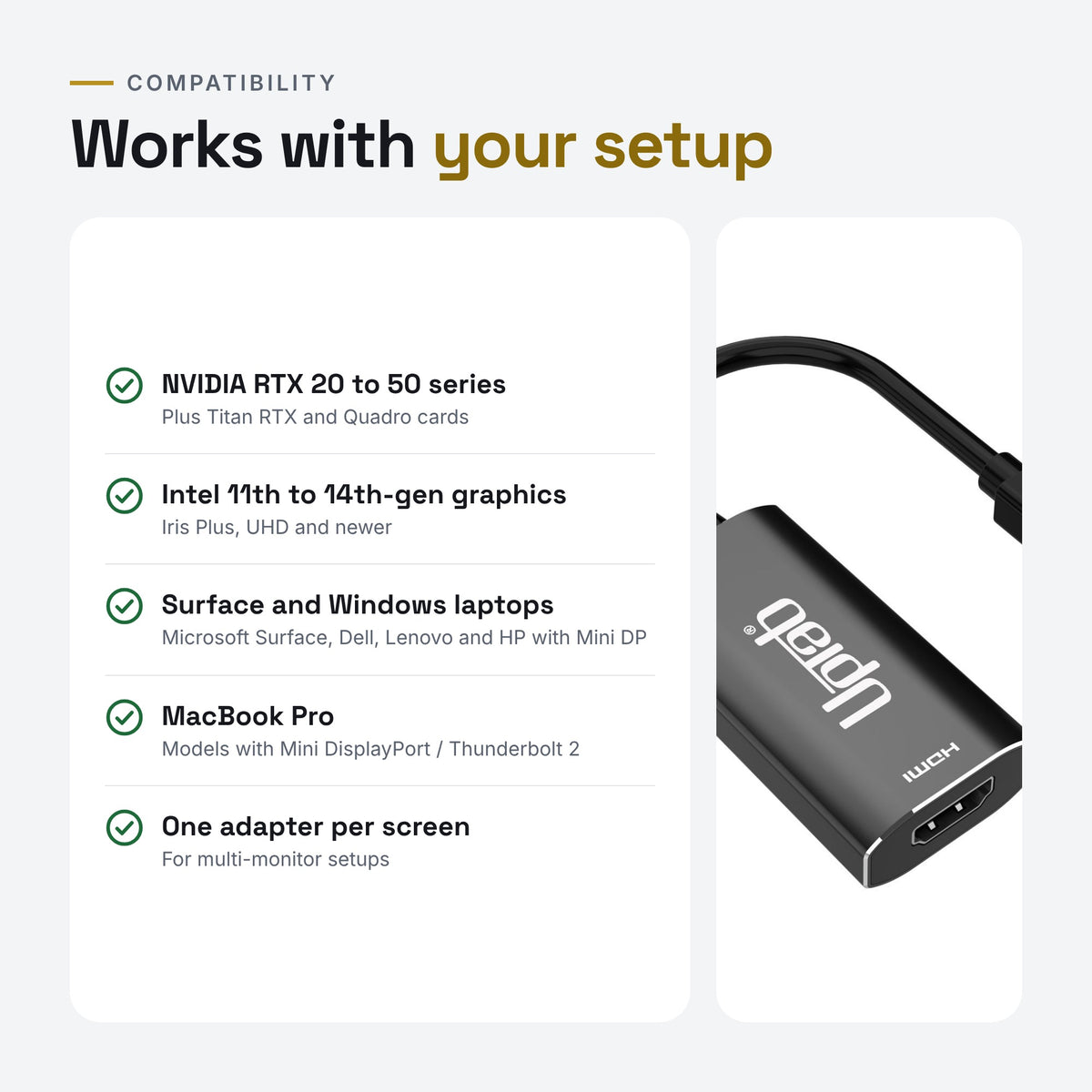
NVIDIA RTX : TITAN RTX, RTX 20X0, RTX 30X0, RTX 40X0 et RTX 50X0
NVIDIA Quadro : K1200, P600, P620, P1000, P2000, P4000, M4000, RTX8000, RTX6000, RTX5000, RTX4000, RTX3000 MOBILE
Génération basée sur Intel 11-14 : Lac Alder, Lac Tiger, Lac Ice, Graphismes Iris Plus, Graphismes UHD
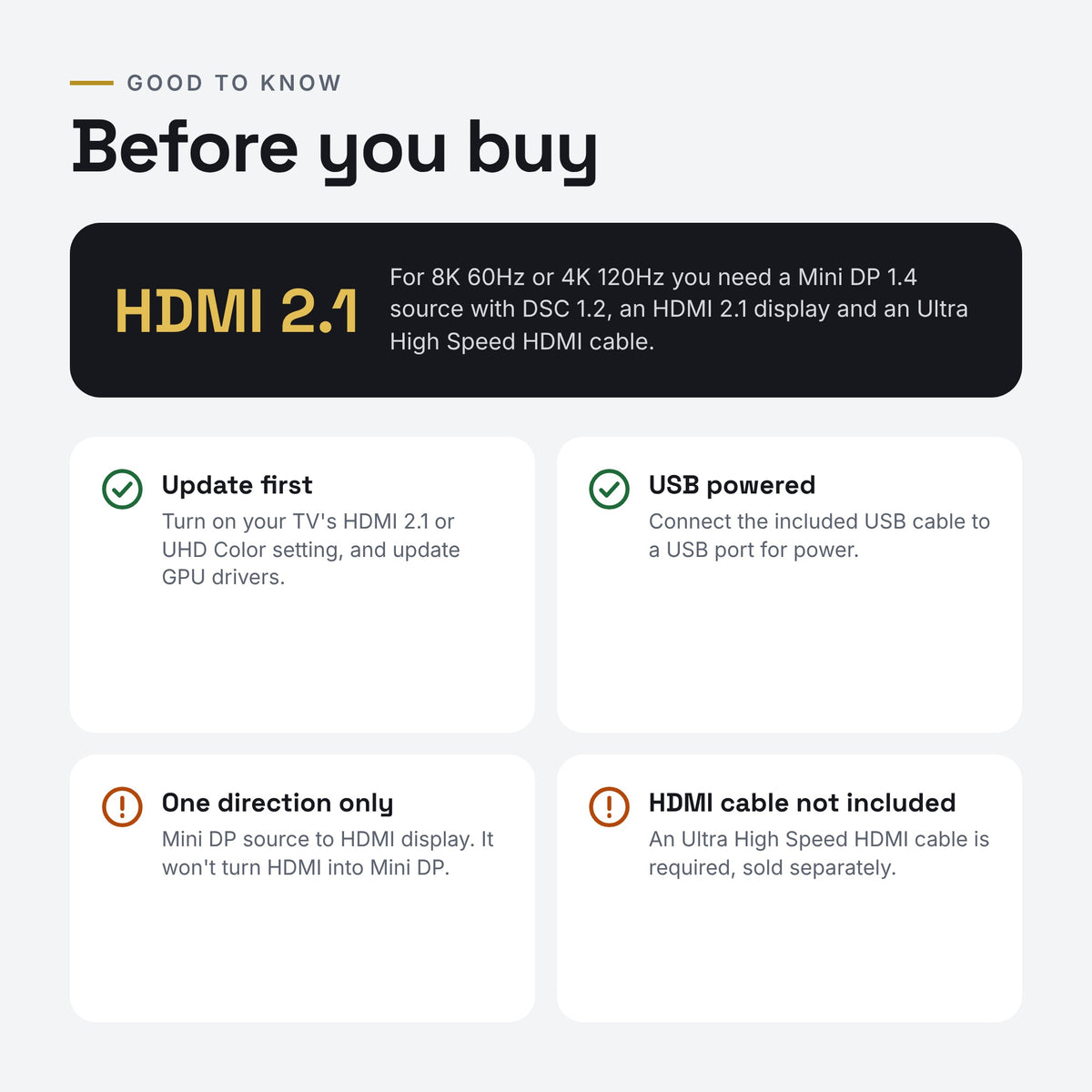
Pour la résolution 8K à 60 Hz et 4K à 120 Hz, un GPU compatible DSC 1. 2 est requis.
Points forts :
- Idéal pour les joueurs et autres besoins informatiques de haut niveau
- Prend en charge le format de couleur 4 : 4 : 4 avec des couleurs RVB nettes.
- Audio jusqu'à 8 canaux
- HDMI 2. 1 jusqu'à 48 Gbit/s
- Conception compacte et portable
- Câble multiblindé avec corps en aluminium
- Convertit le signal vidéo Mini DisplayPort jusqu'à la résolution UHD 8K (7680 x 4320 à 60 Hz) ou 4K (4096 x 2160 à 120 Hz) , y compris 1440p à 120 Hz.
Général :
- Récepteur compatible VESA Mini DisplayPort (mDP) v1. 4
- Émetteur conforme à la spécification HDMI v2. 1, débit de données jusqu'à 12 Gbit/s par canal en mode FRL et jusqu'à 6 Gbit/s en mode TMDS.
- Microcontrôleur embarqué
- EDID intégré
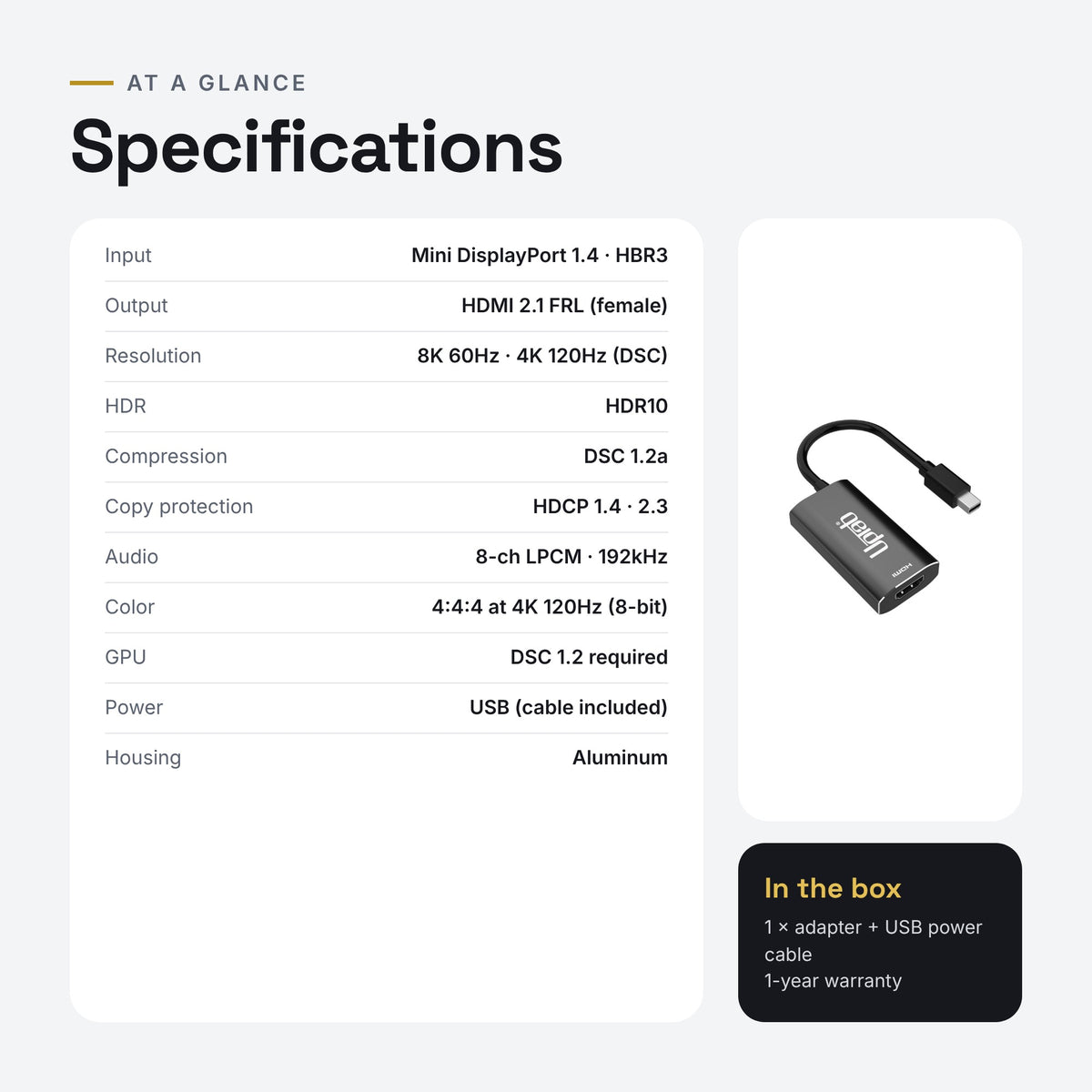
- Compatible avec les normes HDCP 1. 4 et HDCP 2. 3 grâce à des clés intégrées permettant la prise en charge des répéteurs HDCP.
- Prise en charge des formats RGB 4 : 4 : 4 8/10 bits bpc et YCbCr 4 : 4 : 4, 4 : 2 : 2, 4 : 2 : 0 8/10 bits bpc
- Prise en charge du décodeur DSC v1. 2a et du mode de transmission directe
- Prise en charge d'une résolution/durée maximale de 8K à 60 images/seconde / 4K à 120 Hz
- Prise en charge du transport au format vidéo stéréo 3D
- Prise en charge de la conversion d'espace colorimétrique
- Prise en charge du format audio LPCM avec une fréquence d'échantillonnage audio maximale de 192 kHz sur 8 canaux
- Prise en charge du format audio HBR jusqu'à 2 canaux 768 kHz
- Prise en charge du format audio 3D jusqu'à 16 canaux à 96 kHz
- Prise en charge CEC via le canal AUX
- Prise en charge de la plage dynamique étendue (HDR-10)
- Prise en charge du jeu de commandes de contrôle du moniteur VESA (MCCS)
- Prise en charge CEC via le canal AUX
- Température de fonctionnement jusqu'à 70 °C/158 °F
Spécifications techniques :
- Saisir : Mini DisplayPort mâle (mDP) compatible v1. 4 (Thunderbolt 2)
- Prise en charge de 1/2/4 voies jusqu'à une entrée HBR3 (8, 1 Gbit/s)
- Égaliseur adaptatif haute performance intégré
- Support 1-MHz AUX channel
- Prise en charge de DSC v1. 2a et rétrocompatibilité avec les versions précédentes
- Prise en charge du décodeur DSC et du mode de transmission
- Prise en charge d'une résolution/durée maximale de 8K à 60 images/seconde / 4K à 120 Hz
- Prise en charge CEC via le canal AUX
- Prise en charge du format audio LPCM avec une fréquence d'échantillonnage audio maximale de 192 kHz sur 8 canaux
- Prise en charge du format audio HBR jusqu'à 2 canaux 768 kHz
- Prise en charge du format audio 3D jusqu'à 16 canaux à 96 kHz
- Sortir : Câble HDMI 2. 1 femelle ultra haut débit (vendu séparément) est requis
- Prise en charge d'une résolution/durée maximale jusqu'à 8K à 60 images/seconde / 4K à 120 Hz
- Émetteur conforme à la norme HDMI 2. 1, débit de données jusqu'à 12 Gbit/s par canal en mode FRL et jusqu'à 6 Gbit/s en mode TMDS.
- Formats d'encodage LPCM et audio compressé
- Prise en charge du format audio LPCM avec une fréquence d'échantillonnage audio maximale de 192 kHz sur 8 canaux
- Prise en charge du format audio HBR jusqu'à 2 canaux 768 kHz
- Prise en charge du format audio 3D jusqu'à 16 canaux à 96 kHz. Compatible DSC v1. 2a et rétrocompatible avec la version précédente.
- Prise en charge du mode de transmission DSC
- Gestion du flux audio
Dans la boîte :
- 1 adaptateur actif UPTab Mini DisplayPort 1. 4 vers HDMI 2. 1 4K/120 Hz HDR
- 1 câble USB vers micro USB de 1 m (40 pouces) .
- 1 an de garantie
Guide rapide :
- Ce dispositif ne permet que de convertir le signal Mini DisplayPort en HDMI. Il ne s'agit pas d'un adaptateur bidirectionnel.
- Connectez plusieurs moniteurs grâce à la technologie NVIDIA™ Surround (un adaptateur par moniteur) .
- Appuyez sur le bouton du connecteur Mini DisplayPort pour déverrouiller les loquets et éviter tout dommage lors du débranchement.
- Pour la fonction HDR, le système source doit prendre en charge Mini DisplayPort 1. 4 et l'écran doit être compatible HDR et HDMI™ 2. 1.
Q : Je n'obtiens que du 4K à 60 Hz avec l'adaptateur UPTab Active. Comment puis-je obtenir du 4K à 120 Hz ?
Plusieurs raisons peuvent expliquer pourquoi un écran 4K est limité à 4K à 30/60 Hz avec notre adaptateur. Nous vous recommandons de vérifier en premier lieu :
- Le port de sortie Mini DisplayPort doit être compatible mDP 1. 4 pour obtenir une résolution 4K à 120 Hz avec HDR.
- Spécifications système garantissant que le processeur graphique interne peut prendre en charge la résolution 4K à 60 Hz et que le port de sortie du système/GPU peut prendre en charge la résolution 4K à 60 Hz.
- Vérifiez les spécifications du moniteur afin de vous assurer qu'il prend en charge la résolution 4K à 120 Hz depuis le port d'entrée souhaité. Les ports d'entrée HDMI doivent être conformes à la norme HDMI 2. 1.
- Pour que le HDR fonctionne, le système source doit prendre en charge le Mini DisplayPort 1. 4 et l'écran doit être compatible HDR et/ou HDMI 2. 1.
- Assurez-vous que le câble HDMI est certifié HDMI 2. 1.
Si le GPU du système, le port de sortie Mini DisplayPort et le moniteur annoncent une prise en charge de la résolution 4K à 120 Hz, veuillez vérifier les paramètres avancés de la carte graphique Windows pour vous assurer que l'option 120/60 Hz est disponible et sélectionnée dans la liste déroulante.
Si la fréquence de 120 Hz n'est pas indiquée et que vous utilisez un câble HDMI 2. 1 pour connecter votre adaptateur, veuillez vérifier que votre moniteur possède bien des ports HDMI 2. 1. De plus, certains téléviseurs et moniteurs 4K nécessitent l'activation d'une option « HDMI 2. 1 » , « HDMI UHD Color » ou « Ultra HD/UHD Deep Color » (ou similaire) pour que la résolution 4K à 120 Hz/60 Hz fonctionne via HDMI. Veuillez consulter le manuel de votre moniteur et vérifier les paramètres de son menu pour identifier l'option correspondante.
L'adaptateur UPTab est véritablement actif. Au lieu de se contenter de transmettre un signal TMDS via le mode double du Mini DisplayPort, il convertit activement les paquets LVDS sortants du Mini DisplayPort en signalisation TMDS. Avec une fréquence d'horloge interne pouvant atteindre 594 MHz, nos adaptateurs prennent en charge toutes les fonctionnalités essentielles de la norme HDMI 2. 1, avec des résolutions jusqu'à 4K à 120 Hz avec HDR, la prise en charge de la 3D stéréoscopique et des profondeurs de couleur supérieures.
Q : L'adaptateur UPTab (MINI4KDISPAY) prend-il en charge les configurations AMD Eyefinity avec plus de deux moniteurs ?
Oui ! AMD Eyefinity prend en charge jusqu'à deux connexions d'affichage « classiques » (HDMI, DVI ou VGA) . La troisième connexion doit être un Mini DisplayPort natif, c'est-à-dire et non un Dual-Mode/DP++ véhiculant un signal HDMI (car cela compterait comme l'un des deux écrans « classiques » ) . Lorsque vous utilisez notre adaptateur actif, la carte graphique n'a pas besoin d'utiliser l'une des connexions classiques, mais la reconnaît comme un écran Mini DisplayPort natif. (Remarque : selon AMD, ses cartes graphiques prennent en charge un maximum de deux adaptateurs actifs. )
Q : L'adaptateur UPTab (MINI4KDISPAY) prend-il en charge l'échantillonnage couleur/chroma 4 : 4 : 4 ?
Oui ! Notre adaptateur prend en charge l'échantillonnage de chrominance 4 : 4 : 4 en résolution 4K à 120 Hz avec une profondeur de couleur de 8 bits (8 bpc) . Veuillez noter que l'écran/téléviseur connecté doit également prendre en charge la profondeur de couleur 4 : 4 : 4 et que le câble HDMI doit être compatible HDMI 2. 1 lorsqu'il est connecté à un port d'entrée HDMI 2. 1 de l'écran.
Q : Votre adaptateur prend-il en charge le HDR ?
Notre adaptateur prend en charge l'imagerie HDR (High Dynamic Range) . La norme HDMI 2. 0b est la spécification minimale requise pour la prise en charge du HDR.
Q : Quelles normes HDR sont prises en charge ?
Notre adaptateur prend en charge les normes HDR (High Dynamic Range) : Dolby Vision HDR, HDR10, HDR10+ et HLG.
Pour toute question, n'hésitez pas à nous contacter. Nous vous répondrons dans les plus brefs délais, sous 24 heures en semaine.
-
Informations d'expédition
Nous traitons et expédions la plupart des commandes le jour même. Les délais de livraison varient selon le mode de livraison sélectionné lors du paiement. Veuillez vérifier l'exactitude de votre adresse de livraison pour éviter tout retard.
-
Assistance clientèle
Notre équipe est là pour vous aider ! Pour toute question ou assistance, contactez-nous par e-mail ou via notre formulaire de contact. Nous vous répondrons dans les plus brefs délais.
-
FAQ
Quand ma commande sera-t-elle expédiée ?
La plupart des commandes sont traitées et expédiées le jour même. Le délai de livraison dépend de l'option de livraison sélectionnée lors du paiement.
Quelle est votre politique de retour ?
Les articles peuvent être retournés dans les 30 jours dans leur emballage d'origine avec tous les accessoires inclus. -
Contactez-nous
Vous avez des questions ou besoin d'aide ? Nous sommes là pour vous.
Service client disponible du lundi au vendredi, de 9h à 17h (EST)
Courriel : cs@uptab.com
Téléphone : 1 (877) 333-1505
Ou utilisez notre formulaire de contact , nous vous répondrons rapidement.
Livraison gratuite à partir de 50 $
Expédition le jour même pour la plupart des commandes