

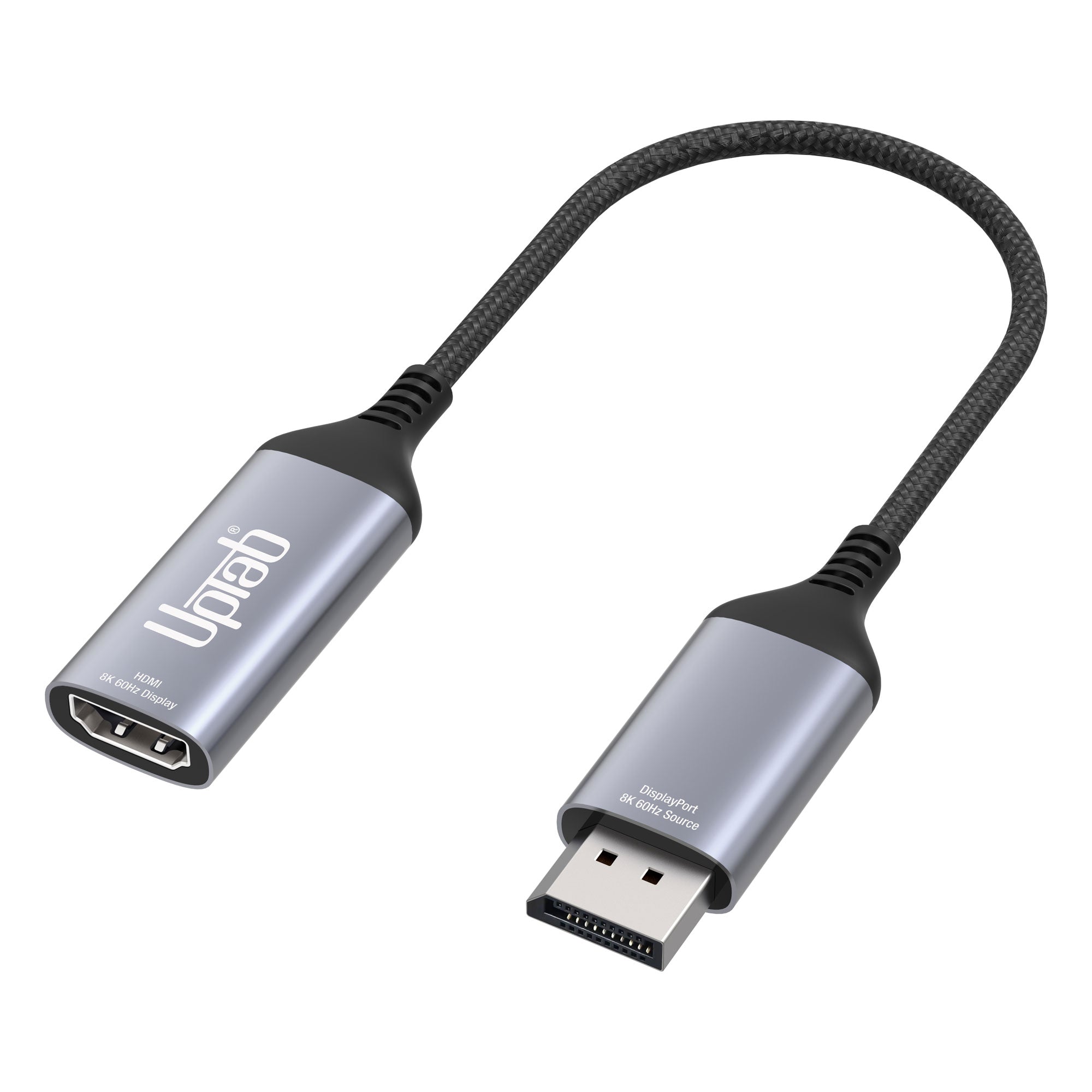
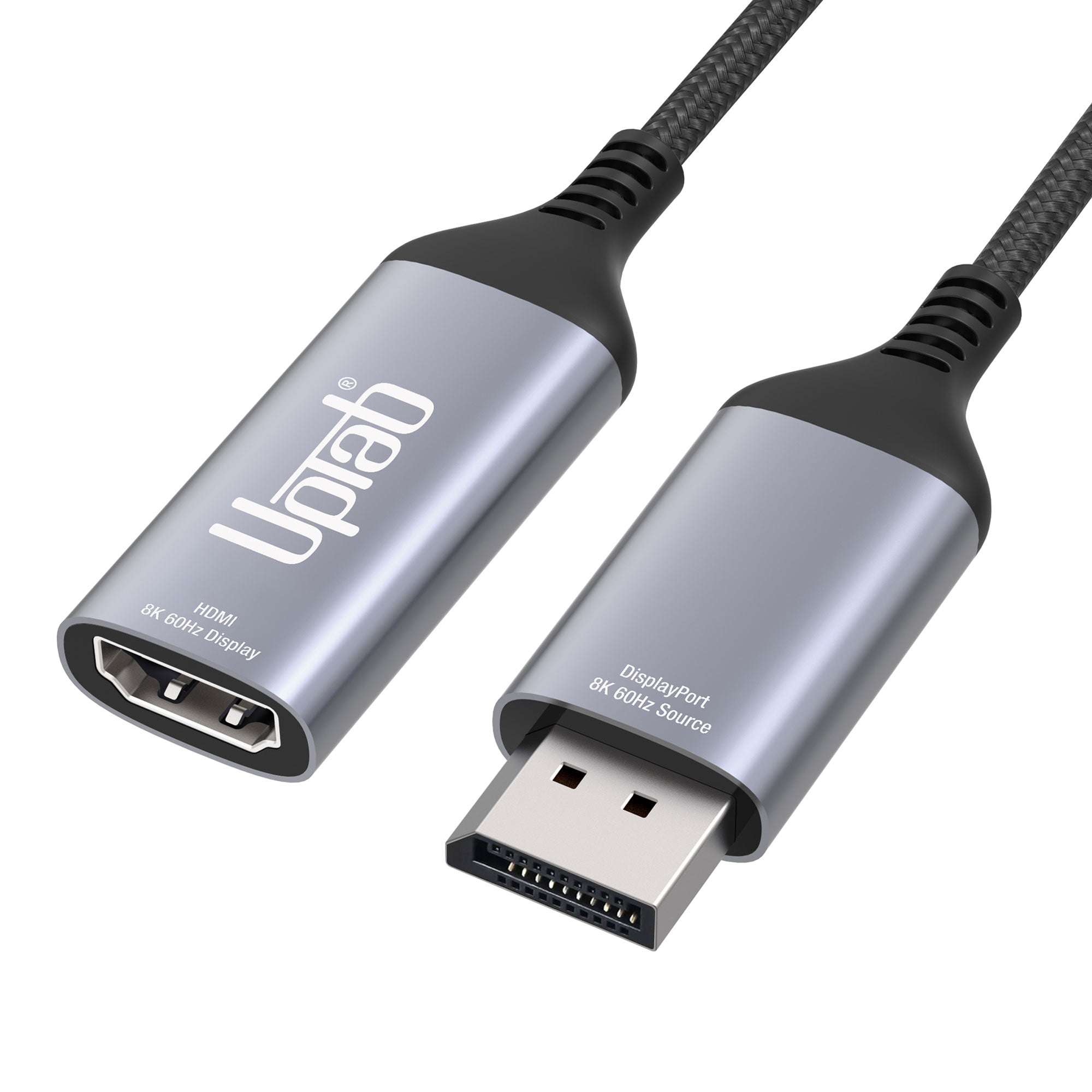
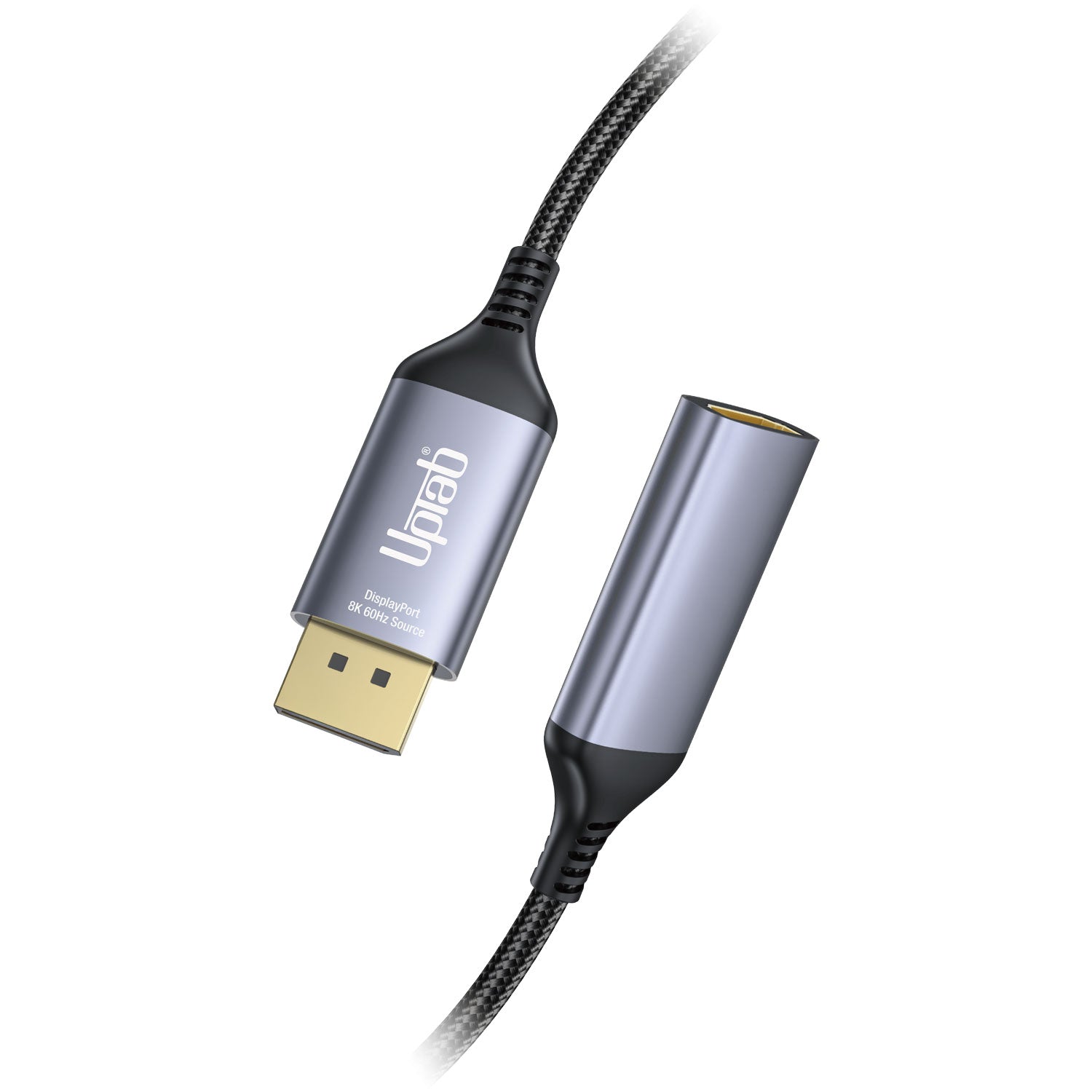
Adaptateur actif DisplayPort 1.4 vers HDMI 2.1 8K 60 Hz HDR
About this item
Se marie bien avec
EXPÉDITION LE JOUR MÊME commandez avant 11 h (HNE)
Livraison gratuite pour les commandes de plus de 50 $
Support technique
Retour sous 30 jours
Garantie d'un an
Adaptateur actif DisplayPort 1.4 vers HDMI 2.1 8K 60 Hz HDR
Détails du produit
Connectez un écran HDMI Ultra HD avec plage dynamique élevée à un ordinateur compatible DisplayPort grâce à l'adaptateur DisplayPort actif ! Conçu spécialement pour les amateurs de calcul, de graphismes et de jeux vidéo de haut niveau, le HDMI 2.1 jusqu'à 48 Gbit/s permet une lecture vidéo 8K fluide, notamment en combinaison avec une fréquence d'images de 60 Hz et le HDR, créant des couleurs et des mouvements réalistes pour une expérience visuelle ultime. Convertit le signal vidéo DisplayPort jusqu'à 8K 7680 x 4320 à 60 Hz avec DSC ou 4K 4096 x 2160 à 120 Hz avec DSC, y compris 1440p à 240 Hz. Mieux encore, l'adaptateur DisplayPort actif est extrêmement facile à utiliser et à emporter partout grâce à sa taille compacte. Auto-alimenté, aucune alimentation externe requise.
Enfin, l'adaptateur actif DisplayPort prend en charge le format de couleur 4:4:4, garantissant des couleurs RVB éclatantes et authentiques, ainsi que le HDR sans dégradation visuelle classique. L'audio n'est pas non plus un problème, avec la transmission jusqu'à 8 canaux audio pour un son immersif.
* Veuillez mettre à jour le micrologiciel de votre téléviseur vers la version qui prend en charge ces résolutions/taux de rafraîchissement !
** Veuillez mettre à jour vos pilotes graphiques sur votre PC et assurez-vous que DSC1.2 est pris en charge sur vos appareils pour prendre en charge ces résolutions/taux de rafraîchissement !
Ce produit est spécialement conçu pour fonctionner avec les processeurs graphiques (GPU) les plus récents, prenant en charge DSC 1.2. À la date de publication, voici les GPU pris en charge :
NVIDIA RTX : TITAN RTX, RTX 2060, RTX 2070, RTX 2080, RTX 3060, RTX 3080, RTX 3090, RTX 4090, RTX 4080
AMD Radeon : RX 6000, RX 7900 XTX
CARTES MOBILES : RTX8000, RTX6000, RTX5000, RTX4000, RTX3000
Processeurs Intel 11/12 : Alder Lake, Tiger Lake, Ice Lake, Iris Plus Graphics, UHD Graphics
Points forts:
- Idéal pour les joueurs et autres besoins informatiques de haut niveau
- Prend en charge le format de couleur 4:4:4 avec des couleurs RVB claires
- Audio vers audio 8 canaux
- HDMI 2.1 jusqu'à 48 Gbit/s
- Conception compacte et portable
- Câble multiblindé avec corps en aluminium
- Convertit le signal vidéo DisplayPort jusqu'à UHD 8K 7680×4320 à 60 Hz ou 4K 4096x2160 à 120 Hz, y compris 1440p à 120 Hz
Général :
- Récepteur compatible VESA DisplayPort (DP) v1.4
- Émetteur conforme à la spécification HDMI v2.1, débit de données jusqu'au mode FRL jusqu'à 12 Gbps par canal et mode TMDS jusqu'à 6 Gbps.
- MCU intégré
- EDID intégré. Réponse à l'EDID si le terminal ne le possède pas.
- Prend en charge HDCP1.4 et HDCP2.3 avec des clés intégrées pour prendre en charge le répéteur HDCP.
- Prise en charge RVB 4:4:4 8/10 bits bpc et YCbCr 4:4:4, 4:2:2, 4:2:0 8/10 bits bpc
- Prise en charge du décodeur DSC v1.2a et du mode pass-through
- Prise en charge d'une résolution/synchronisation maximale jusqu'à 8K à 60p / 4K à 120 Hz
- Prise en charge du transport au format vidéo stéréo 3D
- Prise en charge de la conversion de l'espace colorimétrique
- Prise en charge du format audio LPCM avec une fréquence d'échantillonnage audio maximale jusqu'à 8 canaux 192 kHz
- Prise en charge du format audio HBR jusqu'à 2 canaux 768 kHz
- Prise en charge du format audio 3D jusqu'à 16 canaux 96 kHz
- Prise en charge du CEC sur le canal AUX
- Prise en charge de la plage dynamique élevée (HDR-10)
- Prise en charge du jeu de commandes de contrôle du moniteur VESA (MCCS)
- Prise en charge du CEC sur le canal AUX
- Température de fonctionnement jusqu'à 70 °C/158 °F
Spécifications techniques :
- Entrée : compatible DisplayPort (DP) v1.4
- Prise en charge des voies 1/2/4 jusqu'à l'entrée HBR3 (8,1 Gbit/s)
- Égaliseur adaptatif hautes performances intégré
- Prise en charge du canal AUX 1 MHz
- Prend en charge DSC v1.2a et est rétrocompatible avec les versions précédentes
- Prise en charge du décodeur DSC et du mode pass-through
- Prise en charge d'une résolution/synchronisation maximale jusqu'à 8K à 60p / 4K à 120 Hz
- Prise en charge du CEC sur le canal AUX
- Prise en charge du format audio LPCM avec une fréquence d'échantillonnage audio maximale jusqu'à 8 canaux 192 kHz
- Prise en charge du format audio HBR jusqu'à 2 canaux 768 kHz
- Prise en charge du format audio 3D jusqu'à 16 canaux 96 kHz
- Sortie : HDMI 2.1 femelle ; un câble HDMI 2.1 ultra haute vitesse ( vendu séparément ) est requis
- Prise en charge d'une résolution/synchronisation maximale jusqu'à 8K à 60p / 4K à 120 Hz avec DSC
- Émetteur compatible HDMI 2.1, débit de données jusqu'au mode FRL jusqu'à 12 Gbps par canal et mode TMDS jusqu'à 6 Gbps.
- Formats d'encodage LPCM et audio compressé
- Prise en charge du format audio LPCM avec une fréquence d'échantillonnage audio maximale jusqu'à 8 canaux 192 kHz
- Prise en charge du format audio HBR jusqu'à 2 canaux 768 kHz
- Prise en charge du format audio 3D jusqu'à 16 canaux 96 kHz. Compatible avec DSC v1.2a et rétrocompatible avec la version précédente.
- Prise en charge du mode de transmission DSC
- Gestion des flux audio
Dans la boîte :
- 1x Adaptateur actif UPTab DisplayPort 1.4 vers HDMI 2.1 4K/120 Hz HDR
- 1x câble d'alimentation USB
- Garantie d'un an
Voici un guide rapide sur la façon d’utiliser cet adaptateur :
- Connectez l'extrémité DisplayPort de l'adaptateur à votre ordinateur ou autre appareil. Assurez-vous que la connexion est sécurisée.
- Connectez l'extrémité HDMI de l'adaptateur à votre téléviseur ou moniteur. Assurez-vous que la connexion est sécurisée.
- Allumez votre téléviseur ou votre moniteur et réglez-le sur l'entrée HDMI appropriée.
- Sur votre ordinateur ou appareil, assurez-vous que la résolution et le taux de rafraîchissement sont réglés pour correspondre à ceux du téléviseur ou du moniteur.
- Vérifiez si votre appareil prend en charge le HDR. Si c'est le cas, vous devez l'activer dans les paramètres.
- Profitez de votre contenu haute résolution et à taux de rafraîchissement élevé.
Télécharger la fiche technique PDF : ici
Q : Je n'obtiens que de la 4K à 60 Hz avec l'adaptateur UPTab Active. Comment obtenir de la 4K à 120 Hz ?
Plusieurs raisons peuvent expliquer pourquoi un écran 4K serait limité à 30/60 Hz avec notre adaptateur. Nous vous recommandons de vérifier d'abord :
- Le port de sortie DisplayPort doit être compatible DP 1.4 pour obtenir 4K à 120 Hz avec HDR.
- Spécifications système pour garantir que le processeur graphique interne peut prendre en charge 4K à 60 Hz et que le port de sortie du système/GPU peut prendre en charge 4K à 60 Hz.
- Spécifications du moniteur pour garantir la prise en charge de la 4K à 120 Hz depuis le port d'entrée souhaité. Les ports d'entrée HDMI doivent être compatibles HDMI 2.1.
- Pour que le HDR fonctionne, le système source doit prendre en charge DisplayPort 1.4 et l'écran doit prendre en charge le HDR et/ou le HDMI 2.1.
- Assurez-vous que le câble HDMI est certifié HDMI 2.1.
Si le GPU du système, le port de sortie DisplayPort et le moniteur revendiquent tous deux la prise en charge de la 4K à 120 Hz, vérifiez les paramètres avancés de l'adaptateur d'affichage Windows pour vous assurer que 120/60 Hz est disponible et sélectionné dans la liste déroulante.
Si 120 Hz n'est pas indiqué et que vous êtes connecté à notre adaptateur avec un câble HDMI 2.1, veuillez vérifier que votre moniteur dispose de ports HDMI 2.1. De plus, certains téléviseurs et moniteurs 4K doivent activer les paramètres « HDMI 2.1 », « HDMI UHD Color » ou « Ultra HD/UHD Deep Color » (ou similaire) pour que la 4K à 120/60 Hz fonctionne via HDMI. Veuillez consulter le manuel du moniteur et vérifier les paramètres du menu pour savoir si un paramètre est disponible.
L'adaptateur UPTab est véritablement actif. Plutôt que de dépendre de la transmission d'un signal TMDS via le double mode DisplayPort, il convertit activement les paquets LVDS DisplayPort sortants en signaux TMDS nécessaires. Avec une fréquence d'horloge interne allant jusqu'à 594 MHz, nos adaptateurs prennent en charge toutes les fonctionnalités essentielles du HDMI 2.1, avec des résolutions allant jusqu'à 4K à 120 Hz avec HDR, la prise en charge de la 3D stéréoscopique et des profondeurs de couleurs plus élevées.
Q : L'adaptateur UPTab (B014E8ZC7E) prend-il en charge les configurations AMD Eyefinity au-delà de deux moniteurs ?
Oui ! L'AMD Eyefinity autorise jusqu'à deux connexions d'écran « anciennes » (HDMI, DVI ou VGA). La troisième connexion doit être un DisplayPort natif, c'est-à-dire non un Dual-Mode/DP++ acheminant un signal HDMI (car celui-ci serait considéré comme l'un des deux écrans « anciennes »). Avec notre adaptateur actif, la carte vidéo n'aura pas besoin d'utiliser l'une des connexions anciennes, mais la traitera comme un écran DisplayPort natif. (Remarque : AMD ne prend en charge que deux adaptateurs actifs.)
Q : L'adaptateur UPTab (B014E8ZC7E) prend-il en charge l'échantillonnage couleur/chrominance 4:4:4 ?
Oui ! Notre adaptateur prend en charge l'échantillonnage chromatique 4:4:4 en résolution 4K à 120 Hz avec une profondeur de couleur de 8 bits (8 bpc). Veuillez noter que l'écran/téléviseur connecté doit également prendre en charge la profondeur de couleur 4:4:4 et que le câble HDMI doit être compatible HDMI 2.1 lorsqu'il est connecté à une entrée HDMI 2.1 de l'écran.
Q : Votre adaptateur prend-il en charge le HDR ?
Notre adaptateur prend en charge l'imagerie HDR (High Dynamic Range). La norme HDMI 2.0b est la configuration minimale pour la prise en charge du HDR.
Q : Quelles normes HDR sont prises en charge ?
Notre adaptateur prend en charge les normes High Dynamic Range (HDR) : Dolby Vision HDR, HDR10, HDR10+ et HLG
FICHE DE DONNÉES:
Pour toute question, n'hésitez pas à nous contacter. Nous vous répondrons dans les plus brefs délais, sous 24 heures en semaine.
-
Informations d'expédition
Nous traitons et expédions la plupart des commandes le jour même. Les délais de livraison varient selon le mode de livraison sélectionné lors du paiement. Veuillez vérifier l'exactitude de votre adresse de livraison pour éviter tout retard.
-
Assistance clientèle
Notre équipe est là pour vous aider ! Pour toute question ou assistance, contactez-nous par e-mail ou via notre formulaire de contact. Nous vous répondrons dans les plus brefs délais.
-
FAQ
Quand ma commande sera-t-elle expédiée ?
La plupart des commandes sont traitées et expédiées le jour même. Le délai de livraison dépend de l'option de livraison sélectionnée lors du paiement.
Quelle est votre politique de retour ?
Les articles peuvent être retournés dans les 30 jours dans leur emballage d'origine avec tous les accessoires inclus. -
Contactez-nous
Vous avez des questions ou besoin d'aide ? Nous sommes là pour vous.
Service client disponible du lundi au vendredi, de 9h à 17h (EST)
Courriel : cs@uptab.com
Téléphone : 1 (877) 333-1505
Ou utilisez notre formulaire de contact , nous vous répondrons rapidement.
This adapter is my life savings!I bought a TV 40" 4K Samsung at $449 and only could run 30hz through HDMI cable. Purchased this adapter. BAM! Now I can use my TV without any headache or lag at 60hz!p/s: set up your TV to Game mode also.Now I'm having a 4k 40" Ultra HD "monitor" at $500 (total everything.) It's a real deal!
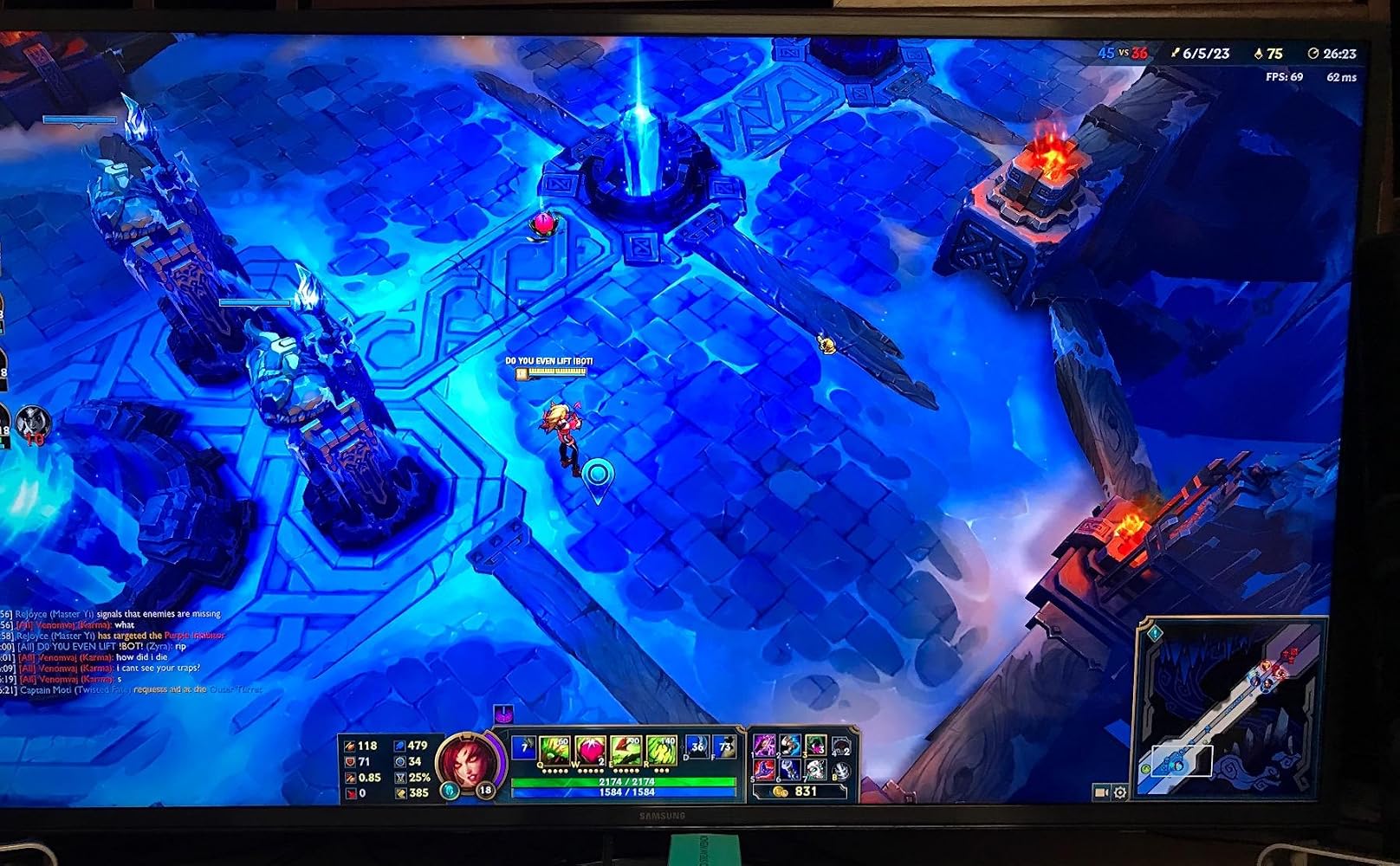
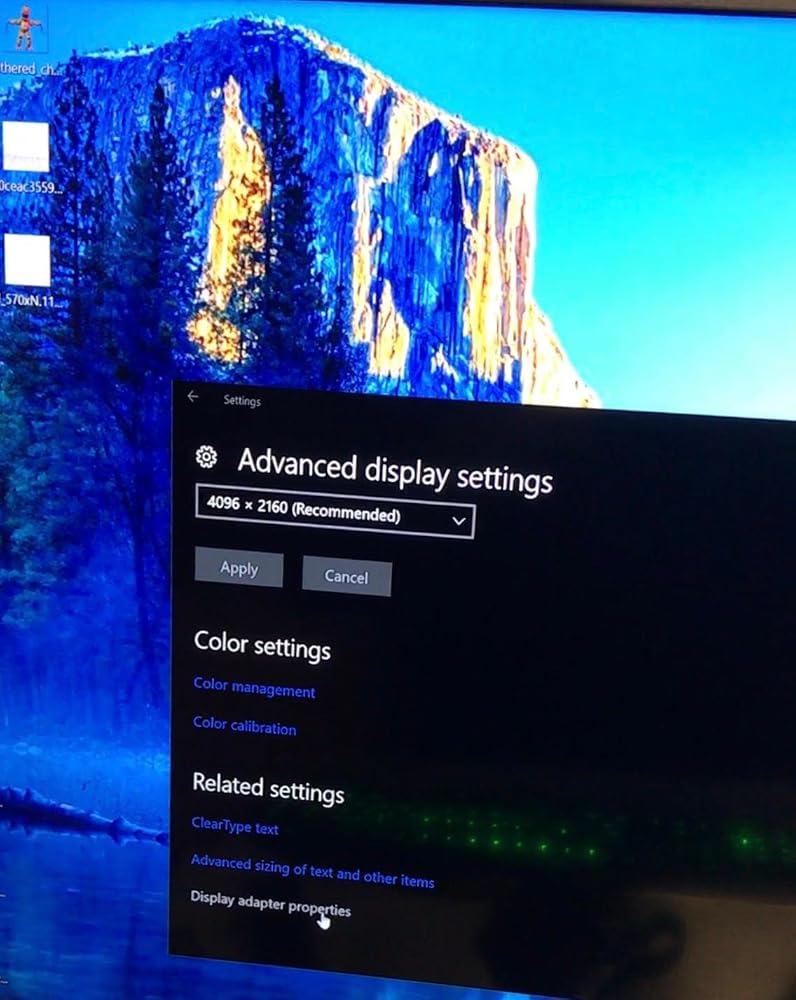
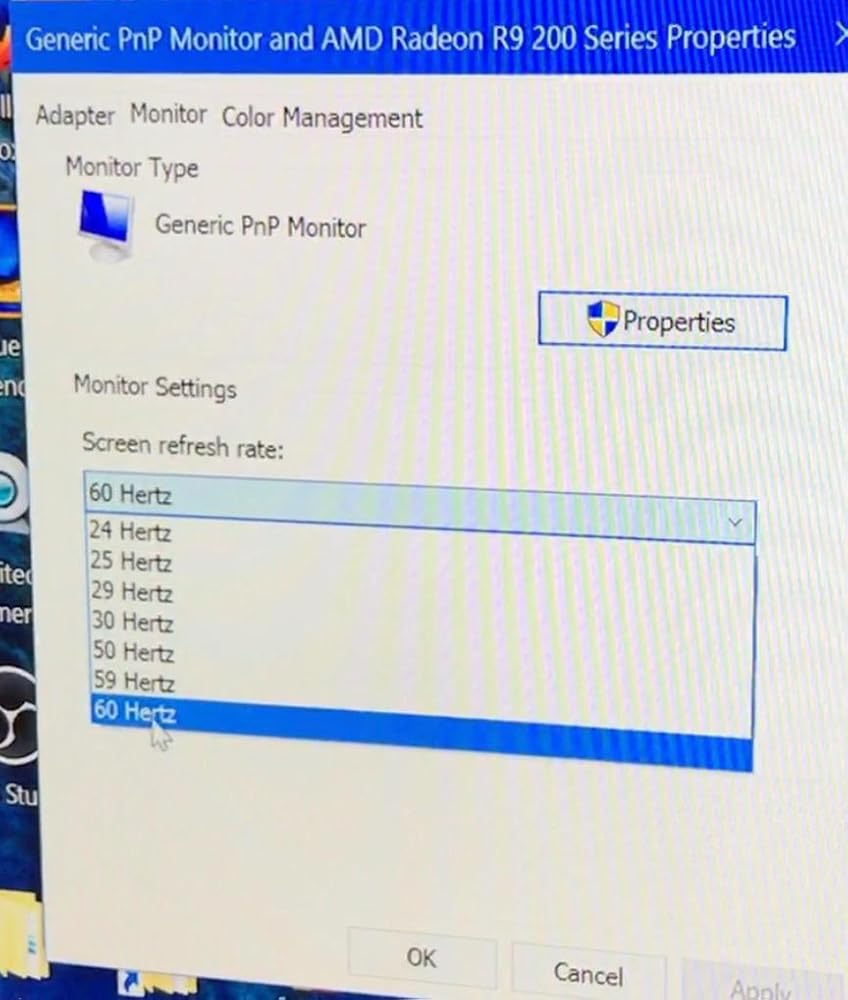
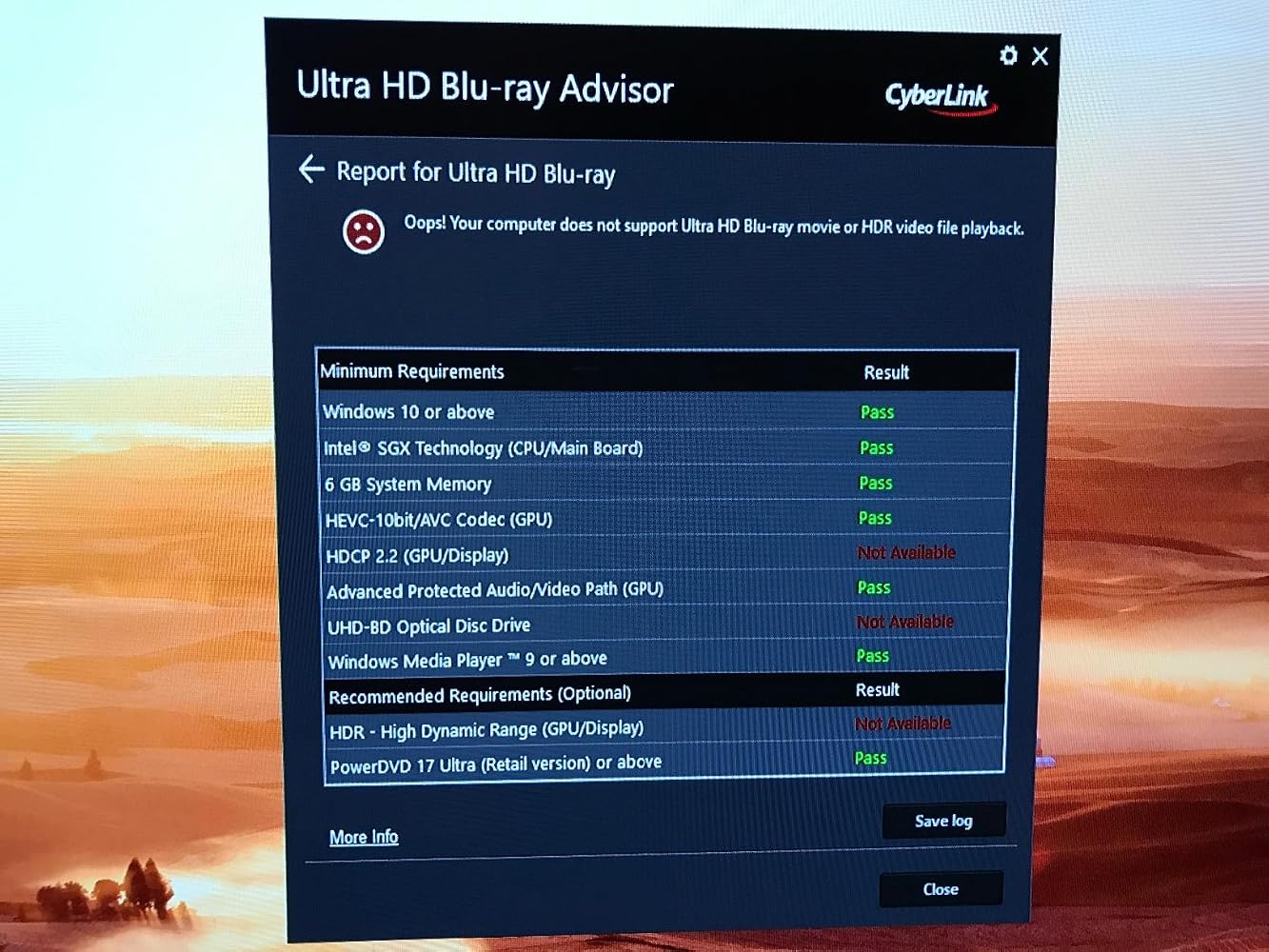
I got 4K60Hz on this converter but No HDR -> No HDMI2.0a. HDCP 2.2 is also not work consistently.My TV: LG OLED65E6PMy HTPC:ASRock Fatal1ty Z270 Gaming-ITX/acCore i5-7500Windows 10 Pro
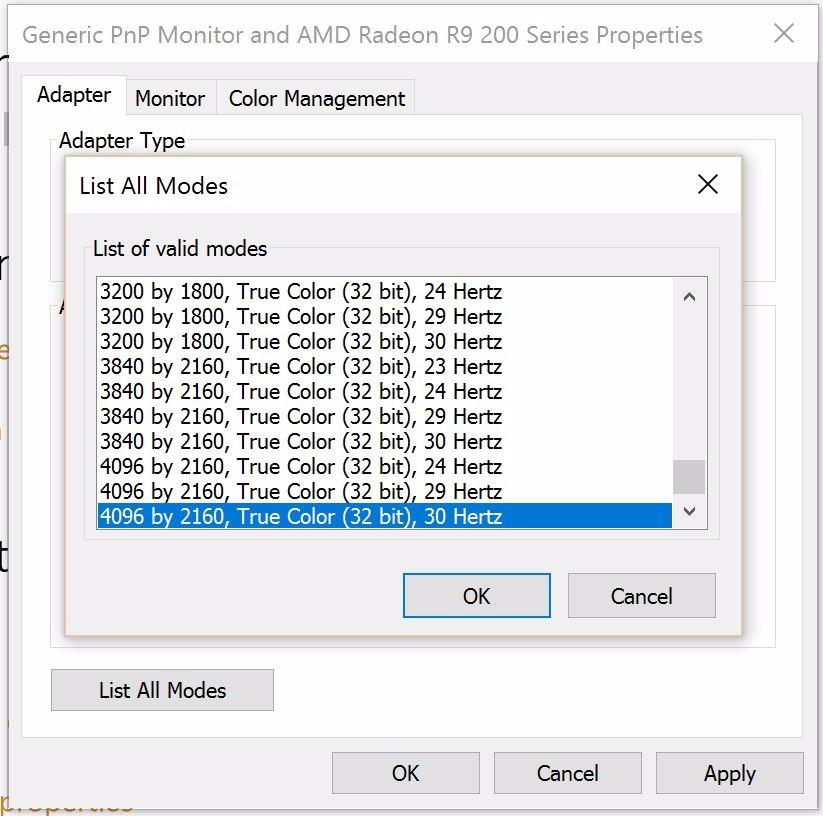
Unfortunately, this product does not work as advertised. I connected the adapter to my R9 290 graphics card, made sure that the HDMI cable that I was using was 2.0 compliant, that the HDMI port on the television was 2.0 compliant, even searched the UPTab website thinking that there might be drivers that I had to download, but with no luck. The highest settings that I have with the adapter are the same as the highest settings that I get without the adapter: 4096x2160@30Hz. I was really crossing my fingers that I'd be able to get 60Hz, since the television itself supports up to 120Hz.
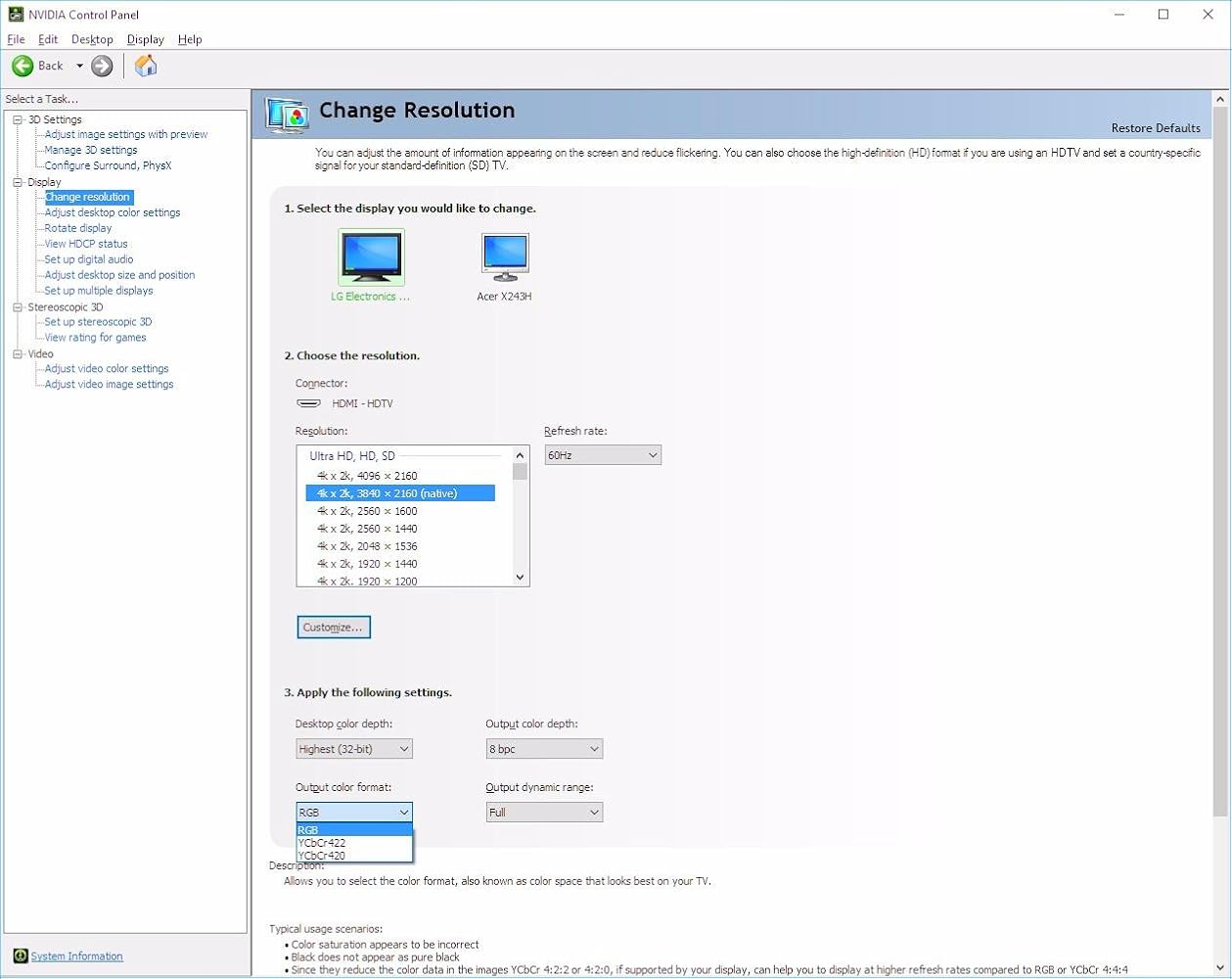
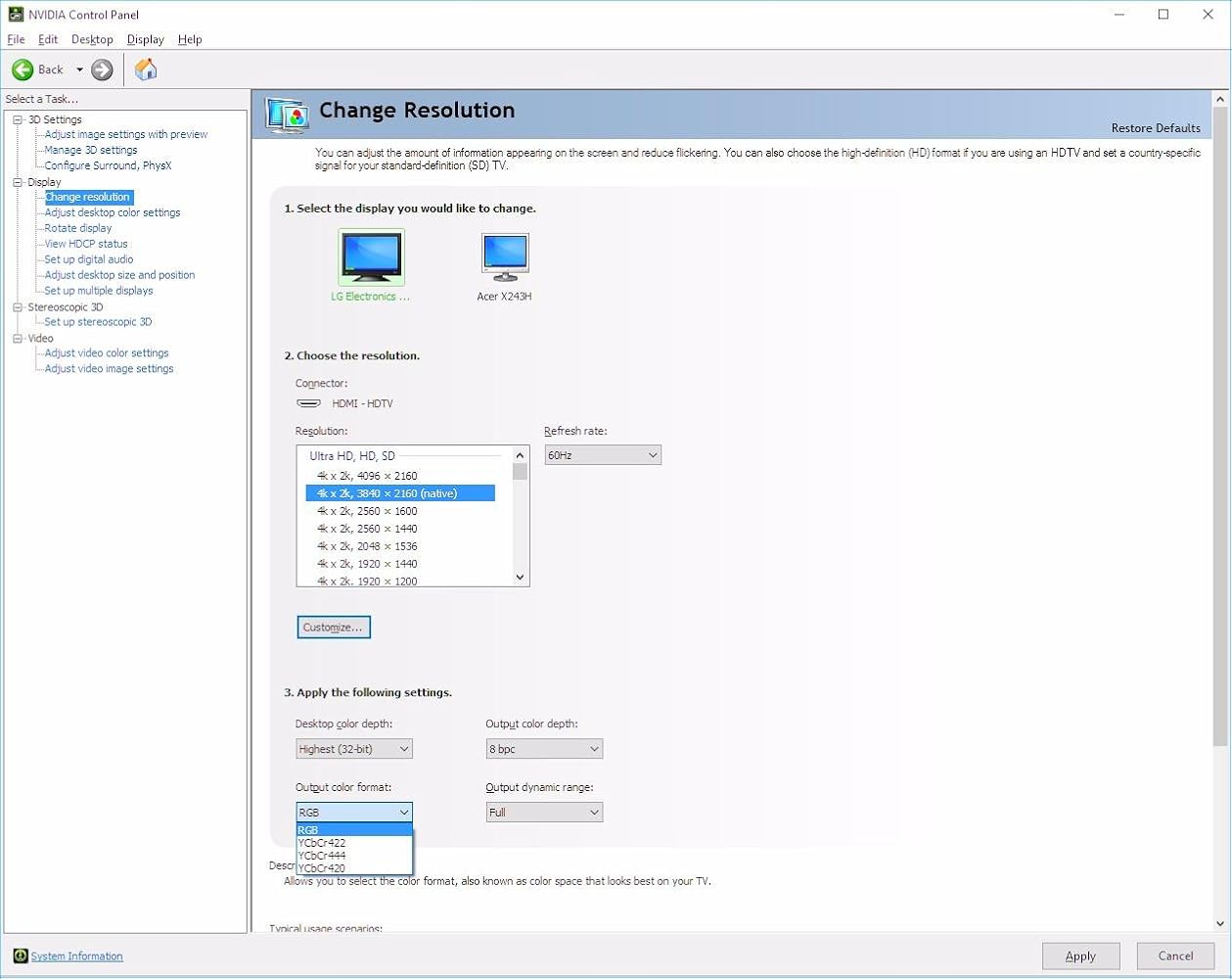
I have an LG 49UB8500 and an NVidia built GTX 1080. Connected directly to the monitor's deep color HDMI port, I get proper 4:4:4 color (see attached screenshot #1). Using this adapter on a displayport to the same input on the screen with the same HDMI cable, I do NOT get 4:4:4 (see attached screenshot).I gave 2 stars instead of 1 because when using RGB, the monitor correctly displays images at 4:4:4 (using test pattern), however, same cable and adapter into a Samsung UN40KU6290 in RGB mode (4:4:4 also doesn't show up for the Samsung) does NOT show 4:4:4 correctly (summarizes to 4:2:2 with test pattern). Connecting to the Samsung screen directly with HDMI from the GTX 1080 shows 4:4:4 like the LG does.
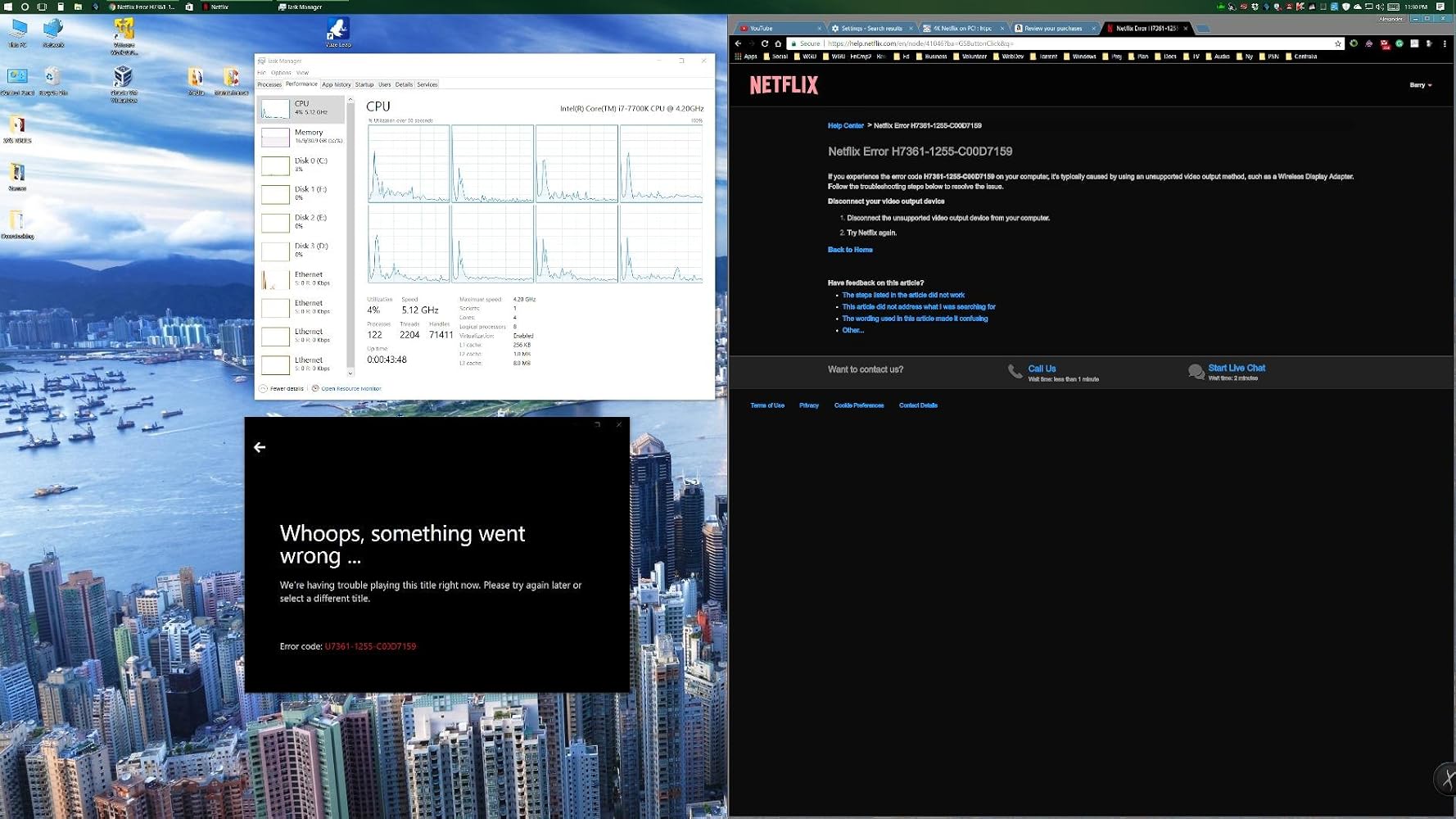
I believe the HDCP 2.2 spec listed is not correct because my adapter does not play Netflix in 4k using this adapter.My PC:----------Asus Maximus Hero IX (z270)32GB DDR4 @ 3000MHzi7-7700k @ 5.2GHz w/ Intel HD 630 Integrated Graphics - DisplayPort 1.2 (max: 4096x2304@60Hz) - HDMI 1.4b (max:3840x2160@30Hz)If I try to view it with the HDMI 1.4b connection to my Samsung 6300 series 2016 4k/hdr10 display, it works, but only at 30Hz (terrible to my eyes, and terrible for gaming, which it why I bought this).When I plug this adapter into the DisplayPort v1.2 and set the resolution to 3840x2160@60p, the desktop works fine, being nice and snappy, but Netflix will not play anything though the adapter, either in the Windows 10 Netflix app, or in the Edge browser!I AM VERY DISAPPOINTED WITH THIS PRODUCT :(
After waiting 3 years for such an adapter to exist and reading the very disappointing reviews of the club 3D one I am happy to report that I am finally able to run my LG OLED TV at it's native resolution and 120Hz. I haven't tried VRR with this adapter but I tried it on a RTX 2080 maxq and on a MacBook pro 16 2019 (with Radeon m5500). I had to use SwitchResX and add a custom resolution to get the Mac output it and I still have a problem of subsampling but I know this adapter can do the job! Great product. It's just sad it didn't exist 3 years ago when the C9 got released

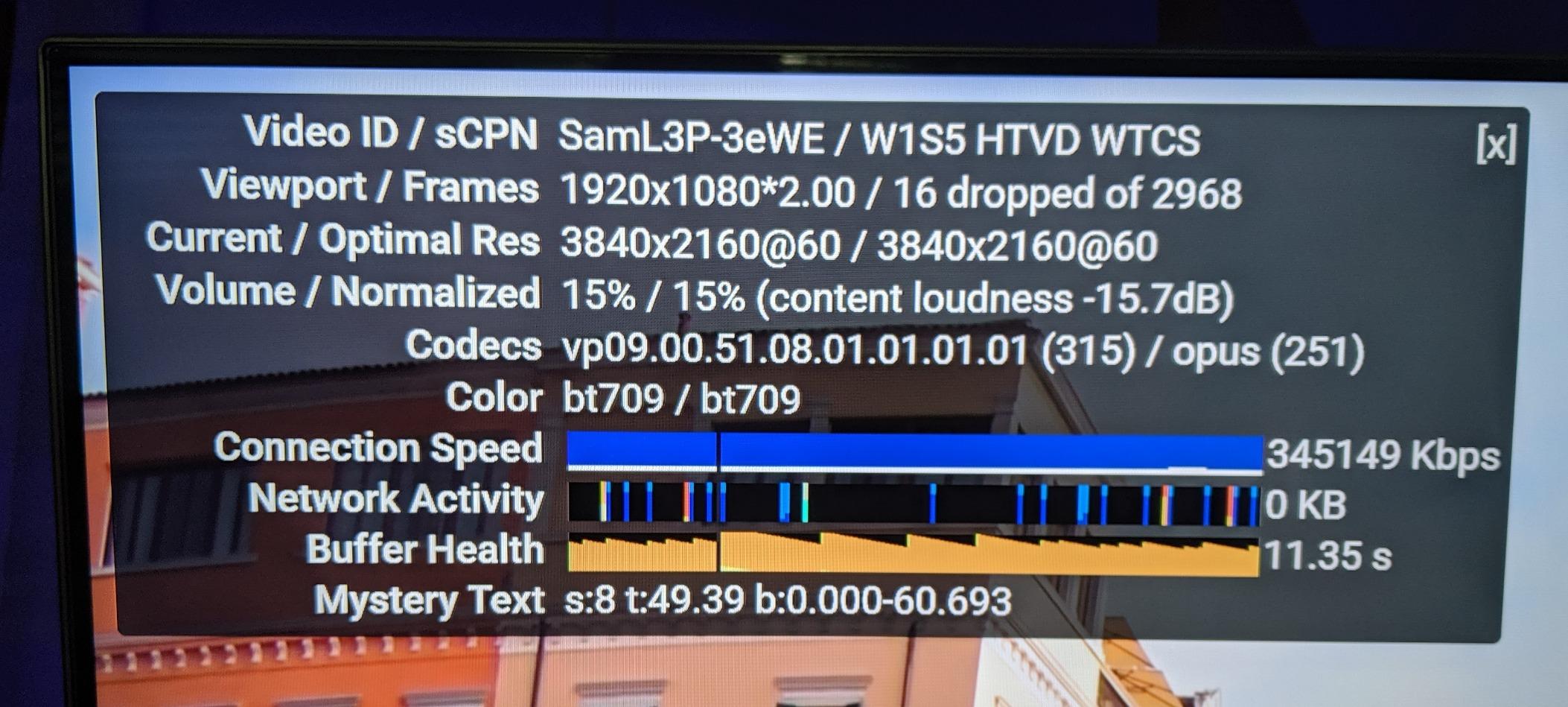
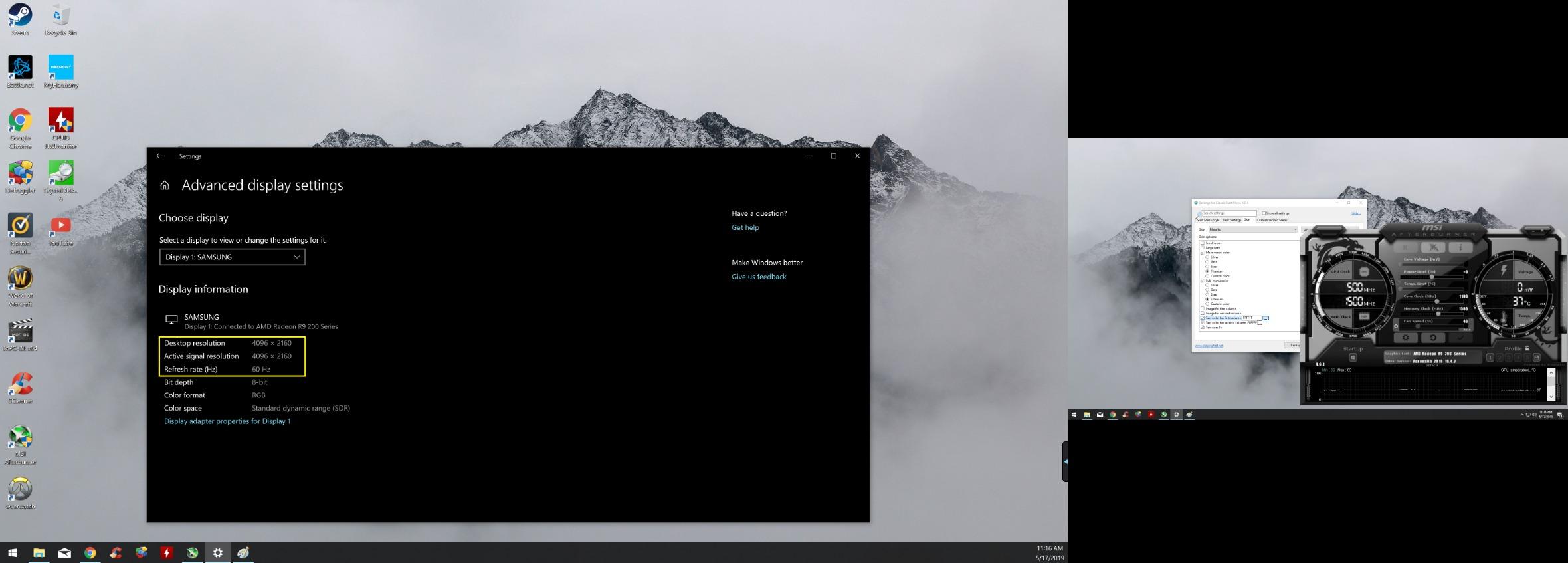
Update: Added second pic of YouTube 4k60fps and it's still cranking it out without dropping frames etcI have an older computer hooked up in my bedroom that has a R9 270 video card in it. Unfortunately the HDMI Port is only capable of 4k 30hz. The Display Port on the other hand could do the 60hz but I am connecting this to a TV, which doesn't have a DP. So I found this and bought it a couple weeks ago. I tested it for a while to make sure it worked.As you can see from the picture this is the case. I used a HDMI cable that was rated for it and it has been solid since. No dropping of signal etc. I hope this helps
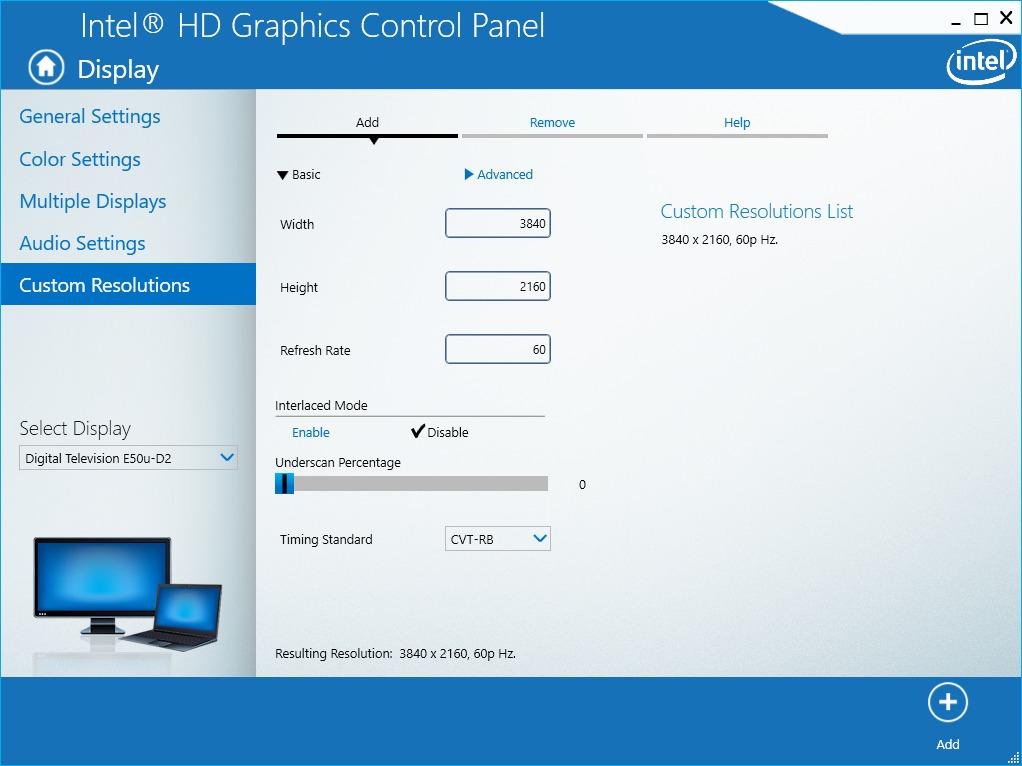
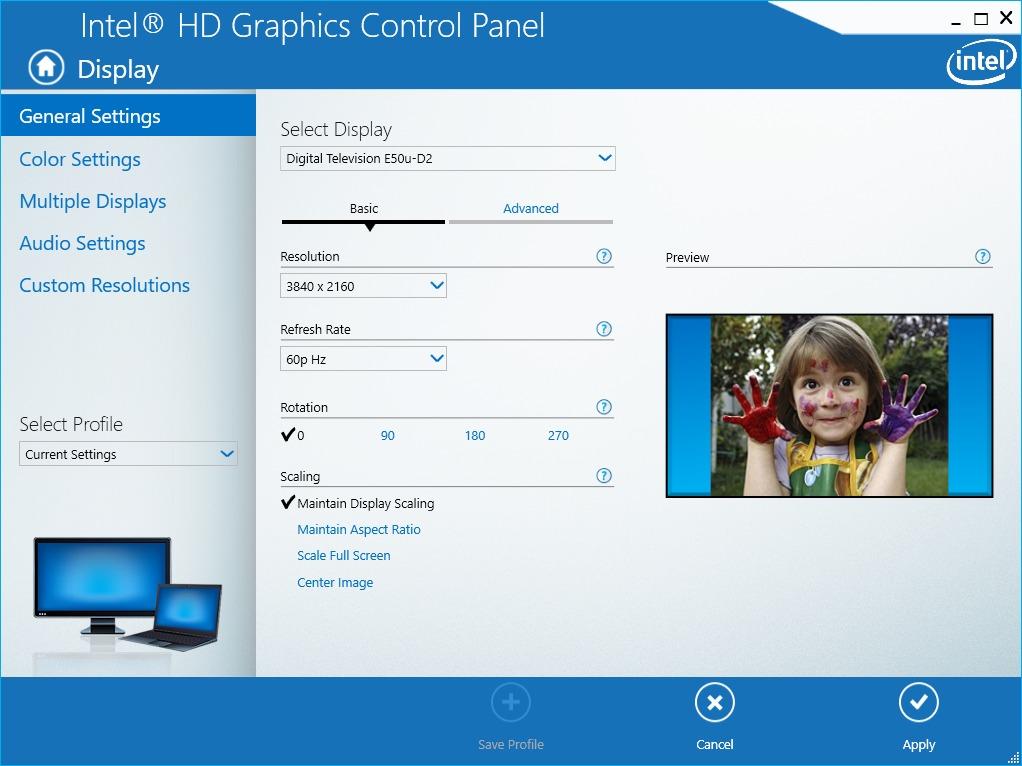
Excellent product and works as advertised, but it took some finessing on my part. If you're like me and running a haswell i7 with 4600 graphics (or similar cpu) on a windows based laptop, this adapter will not work out of the box for you. Step one is too make sure you're using the proper hmdi 2.0 port on your monitor/tv. (mine is hdmi 1 port on my vizio tv). Then you'll want to 'search for updates' for your intel graphics. After that open the Intel HD Graphics control panel. > go to display > custom resolutions > set the width to "3840" and the height to "2160" and refresh rate to "60" (**make sure the correct display is selected in the display drop-down menu on the left hand side**) > next you'll want to set the 'Timing Standard' to CTV-RB (VERY IMPORTANT) > finally click add and go back to general settings. Select the resolution you just entered and the refresh rate should be available. I hope this helps!
I recently got an 8k TV for programming and productivity (HIGHLY RECOMMEND)... My 1660 Super on my work PC only has HDMI 2.0b, which only supports 8k 30Hz, which is painful to use.1660 Super also has DP1.4a ports, which carry much higher bandwidth. I was highly skeptical this would work as this was only one of two converters I could find on Amazon to do DP1.4a to HDMI 2.1.I plugged it in, and after restarting my PC it instantly worked with my TV. Native 8k resolution at 60 Hz. Incredible. AND I was surprised to find it allowed for a higher colorspace as well due to the higher bandwidth, so the picture overall looks better than it did before, on top of getting 60 Hz instead of 30 Hz.Thanks for a great product, does exactly what it says it would do.

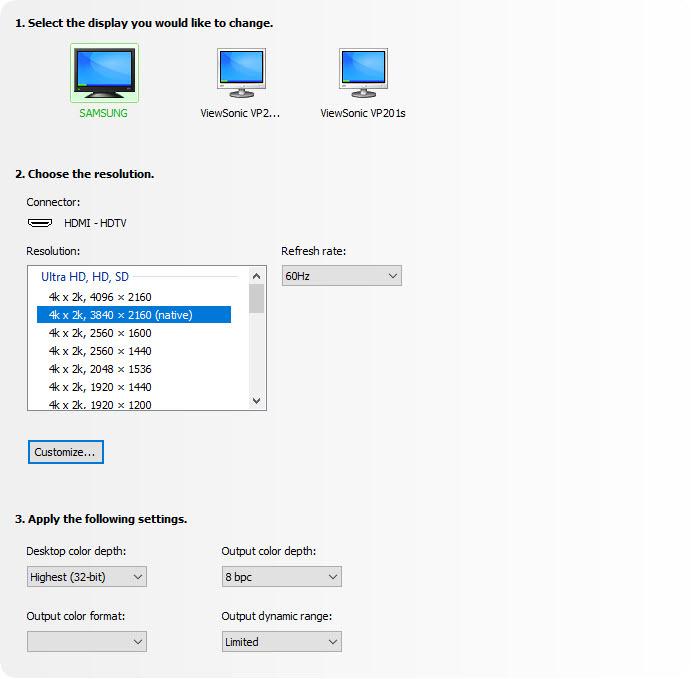
I am a professional software developer and I need a large desktop. I currently utilize a 40" Samsung curved UHD TV with two additional 24" monitors in portrait mode (one on the left and one on the right of the Samsung.) My graphics card is an EVGA 960 with 4GB. This card has 3 DisplayPort outputs and 1 HDMI output. Previously I was using the HDMI output of the graphics card to drive the Samsung TV. This worked well (UHD at 60 Hz) but I was unhappy with the arrangement because the computer would always post to one of the smaller screens when booting up.This adapter allows me to use my Samsung TV as the primary display with one of the DisplayPort outputs. (4K UHD at 60 Hz). See the screenshot I have attached to this review.Note: As an experiment I tried several inputs on the TV. One of the ports is labelled "HDMI 1 / DVI". This input appears to provide more performance than the other HDMI inputs on the TV. For example, this input allows the video card to provide 4K (with RGB, YCbCR 4:4:4, YCbCR 4:2:2 or YCbCR 4:2:0) and 32-bit color with 8 bpc. The other inputs on the TV do not appear support all of the output color formats. BUT... I personally do not LIKE the way the HDMI 1 / DVI input "looks". I can detect digital "shadows" adjacent to lines and fonts. And the display seems "harsh".
Excellent product, plug & play operation for my setup and enables the 4K resolutions as standard, no custom configurations required.I purchased the DisplayPort 1.2 to HDMI 2.0a Active adapter to see if it performed better than the older DisplayPort to HDMI Passive adapter I had on hand with a recently purchased 50" flat panel. While the DP-HDMI passive adapter allowed me to display 3840x2160 resolution, I had to create a custom resolution for the NVIDIA GPU. After each reboot, and often after unlocking the screen saver, the custom setting and passive adapter combination would disable the 4K monitor and revert to the base 1920x1080 resolution, requiring multiple time consuming steps to re-enable the 4K monitor. I deemed the custom resolution configuration as the root cause of the instability since using a 40" 4K monitor with the same DP 1.2 port did not result in the same challenges.To satisfy my curiosity I purchased the Uptab adapter, fully expecting that the results would be the same as with the passive adapter.First I tested the Uptab DisplayPort 1.2 to HDMI 2.0a Active adapter with the 40" Seiki SM40UMP that I have been using with a single DP 1.2 connection @ 4K resolution, swapping the DP 1.2 cable with the adapter and a Redmere 18+ Gbps HDMI cable. As expected, the Seiki immediately switched to HDMI and resumed displaying 4K @ 30Hz*.I powered down, switched monitors and connected the Redmere HDMI cable to the 50" monitor using one of the two 4K@60Hz rated ports. After starting back up I was pleasantly surprised when the computer immediately recognized the 50" monitor as with 3840x2160 resolution, requiring no custom resolution configuration. Even more surprising, is that the Uptab DisplayPort 1.2 to HDMI 2.0a Active adapter exposed an undocumented *second* 4K resolution of 4096x2160 @ 24 Hz on the 50" monitor panel! Of course, I tested the 4096x2160 "true 4K" resolution and it works without issue --- Easter Egg in a monitor!Regardless, I switched back to the 3840x2160 resolution to continue testing the stability of the configuration over the next several days. Using the 4096x2160 resolution added a variable and if instability issues resurfaced, would leave me wondering if the root cause was the adapter/monitor combination or the 4096/adapter/monitor combination.My configuration is:Dell Latitude E6520 i7-2720HQM with Intel HD 3000 IGU**NVIDIA NVS 4200M GPU with 512 MB dedicated video memory**Samsung 1TB 850 EVO SSD; 2TB Seagate ST2000LM00716 GB DDR3 1866 Mhz ramDell PR02X E-Port II Plus Docking Station (supplying the 2x DisplayPort/DVI-D ports)- screen shots attached*My current computer configuration will not support 4K@60Hz from a single DP 1.2 port, therefore I cannot test the full HDMI 2.0a 60Hz capabilities of the adapter.**Before anyone points out the fact that the Intel HD 3000 and NVIDIA NVS 4200M GPUs have a documented maximum resolution of 2560x1600, you are absolutely correct --- and I was planning to purchase two 27" 2560x1440 monitors to replace the two 27" 1920x1200 monitors that were failing after 8 years of constant use based on the Dell and Intel documentation. I already had the 50" monitor and decided to see how it would look at the 2560x1440 resolution which led to the discovery that the E6520+Docking Station combination would drive a 4K resolution from a single DP port.Just as Dell's documentation states that the E6520 can only support 8 GB of 1333 MHz ram, it is a well known fact that Dell usually understates the full capacity of the on-board chipset. I've been running 16 GB of 1866 MHz DDR3 ram (2x8 GB DDR3 SODIMM) since mid-2013 without issue and have been watching the prices of the 32 GB 1600 MHz DDR3 SODIMM kits(2x16 GB DDR3 SODIMM) for the past year to see if I can access the full capacity of the Intel chipset in the notebook.
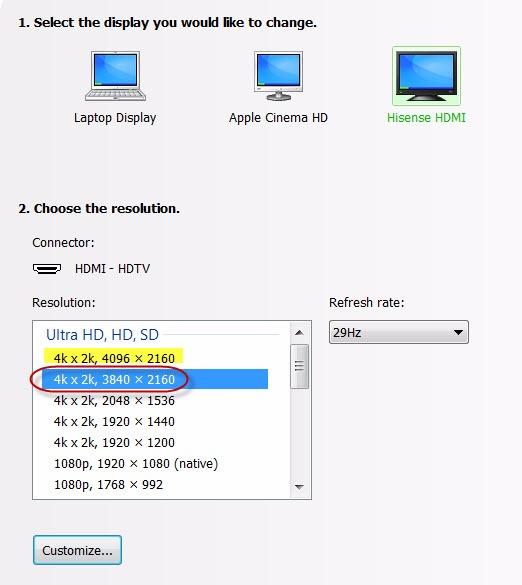
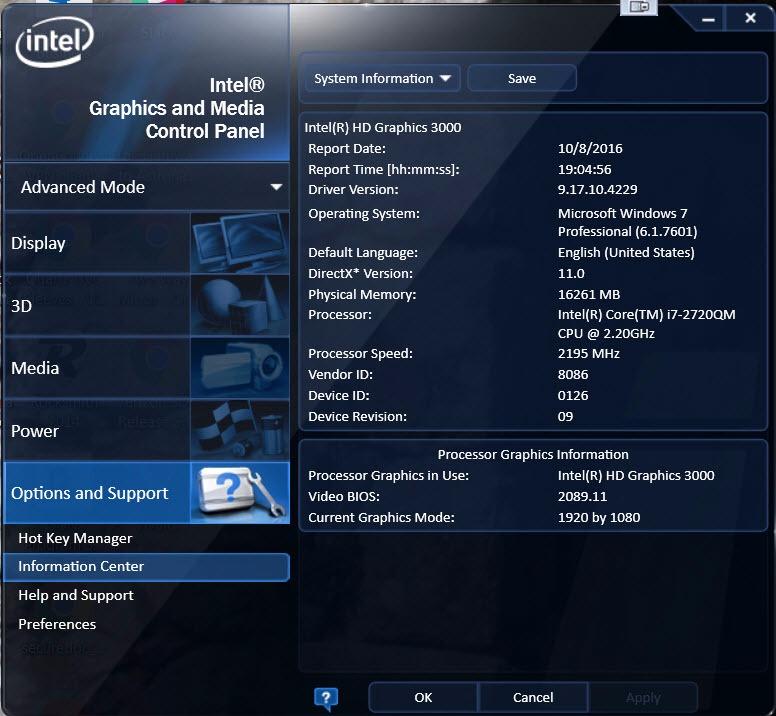
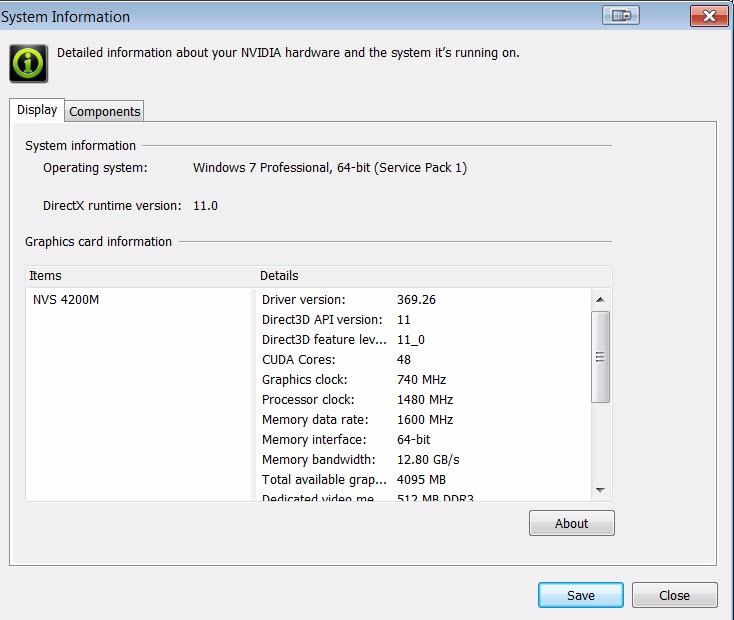
Alt virket som normalt da jeg koblet til.
First let me say that the product is working perfectly but there is a backstory to this.
I originally bought this in October of 2021 and was disappointed that it was only passing a 4:2:0 signal from my 6900xt to my LG C1 and had intended to return it (even received an RMA). I changed my mind on the hope that it was a firmware issue that would be resolved as a support e-mail had said the issue may be with LG OLEDs at that time.
Well, I don't know which firmware did it but I decided to try this again tonight on a whim and it works great.
This was a perfect solution to get 2160p/60 from my computer to the TV. Very easy to use. The computer automatically recognized the correct screen resolution. The only possible concern I can think of is that the adapter doesn't support HDR (most don't as of the time of this review).
I have heard that these adapters are sometimes hit-or-miss, and I have went through a few unsuccessful solutions. Works as advertised. I have a Sony XBR-65X900C(60Hz), and there was a several second delay when turning on the PC, where there was no picture, but after the delay, I had my 4K going with my PC, using a Nvidia GTX 1080(Founders Edition). No complaints.
Need to update the bios asap or it gets too hot to touch.
Excellent product. Arrived in excellent condition and worked as expected. Seller has been corteous and very professional to help on every detail, including a set of instructions sent in advance by email, in order to make sure everything was ok. If needed, I will for sure buy again from Uptab. Thank you and greetings from Brazil !
Still an early review. Connected my Dektop with GTX 1080 FTW display port 1.4 to my Samsung UN65KS8500 TV HDMI 2.0a port. Did not work. As soon as I connect, my TV stops detecting any source as if the converted is not transmitting anything and the primary display of my computer goes dark like 'stand by'. I have not given up hope yet, will try my laptop with TV and may be read up online for solutions before I give up and send it back.
This is a true display port to HDMI 2.0 converter. Playing doom 4k @ 60hz on my big screen was awesome. My Samsung UHD TV doesn't have a display port and my gtx 780 doesn't have HDMI 2.0 so this way I could convert the signal with no loss or detectable lag. Thanks for the quality product!Highly recommended
Works good, but had to do a lot of fiddling to get it to work properly, but so far so good after a month of usuage
This adapter works perfectly on my my LG wide monitor running at 2560x1080. I'm now free of my Display Port hot plug auto detect issues, a feature of display port that would cause the monitor to disappear from Windows anytime the monitor was turned off, messing up my tri-monitor configuration and icon locations. Highly annoying. I'm so happy I never have to deal with that again.
it does give 4K at 60 but they claimed it supports YCbCr4:4:4, 4:2:2 and 4:2:0 up to 12 bpc , and its the only reason i bought it for and on my AMD card they option was grayed out so its of no use to me
Livraison gratuite à partir de 50 $
Expédition le jour même pour la plupart des commandes